EPFO Member Portal: How To Log In, Check Balance, Claims
Shlok Sobti
EPFO Member Portal: How To Log In, Check Balance, Claims
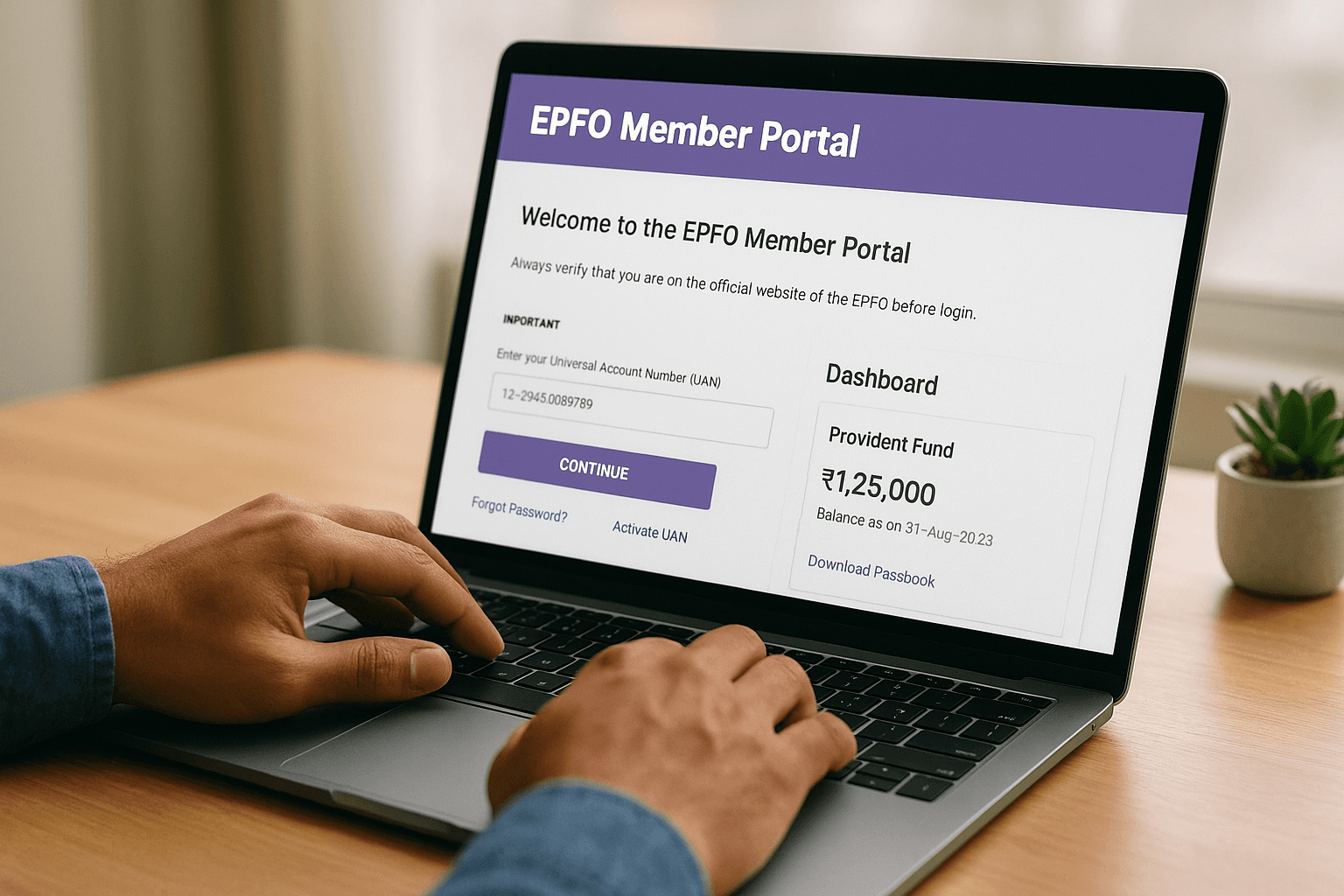
Your Employees' Provident Fund (EPF) is likely one of your most significant retirement assets. Yet, many salaried professionals in India struggle to access basic information about their own PF accounts. The EPFO member portal solves this by putting account management directly in your hands, no more chasing your HR department or waiting in long queues.
Through the unified member portal, you can check your PF balance, download your passbook, activate your UAN, and track claim statuses, all from your phone or laptop. Whether you're verifying a recent contribution or filing a withdrawal request, understanding how to navigate this portal is essential for managing your retirement corpus effectively.
At Invsify, we help salaried Indians take control of their complete financial picture. Your EPF forms a critical part of that wealth, and knowing how to access and monitor it is the first step toward smarter financial decisions. This guide walks you through everything you need to get started.
What you need before you start
Before you can access the epfo member portal and manage your PF account online, you need a few essential pieces in place. The portal requires proper identification and verification, which means having your documents linked and your contact information updated with EPFO. Without these prerequisites, you'll face login errors or limited access to services.
Think of this preparation as a one-time setup that unlocks complete control over your EPF account. Most salaried employees already have these elements in place, but verifying them now saves frustration later.
Your UAN and linked mobile number
Your Universal Account Number (UAN) is your permanent identity in the EPFO system. This 12-digit number stays with you throughout your career, regardless of how many times you change jobs or employers. You can find your UAN on your payslip, Form 11 (joining document), or by checking with your HR department.
Your mobile number must be linked and verified with your UAN to receive OTPs for login and transaction verification. If you've never linked your mobile, you'll need to do this through your employer or by visiting the nearest EPFO office with your Aadhaar card and a cancelled cheque.
Without a linked mobile number, you cannot complete the login process or access any online services through the member portal.
Aadhaar and KYC documents
EPFO requires your Aadhaar to be linked with your UAN for full portal access. This linking enables faster claim settlements and eliminates the need for physical document submission in most cases. If your Aadhaar isn't linked yet, the portal itself provides an online linking facility that takes just a few minutes.
Keep your PAN card details handy as well. While not mandatory for basic access, PAN becomes essential when you file withdrawal claims or transfer requests. Having these documents ready ensures you can complete any transaction without interruption.
Step 1. Reach the correct EPFO login pages
Navigating to the correct EPFO member portal is your first critical step. Fake websites and phishing pages regularly appear in search results, designed to steal your credentials or personal information. You need to verify the official URL before entering any login details or personal data.
Access the official unified member portal
The official epfo member portal is located at unifiedportal-mem.epfindia.gov.in. Notice the .gov.in domain, which confirms this is a genuine government website. You can type this URL directly into your browser or search for "EPFO unified member portal" and verify the domain before clicking.
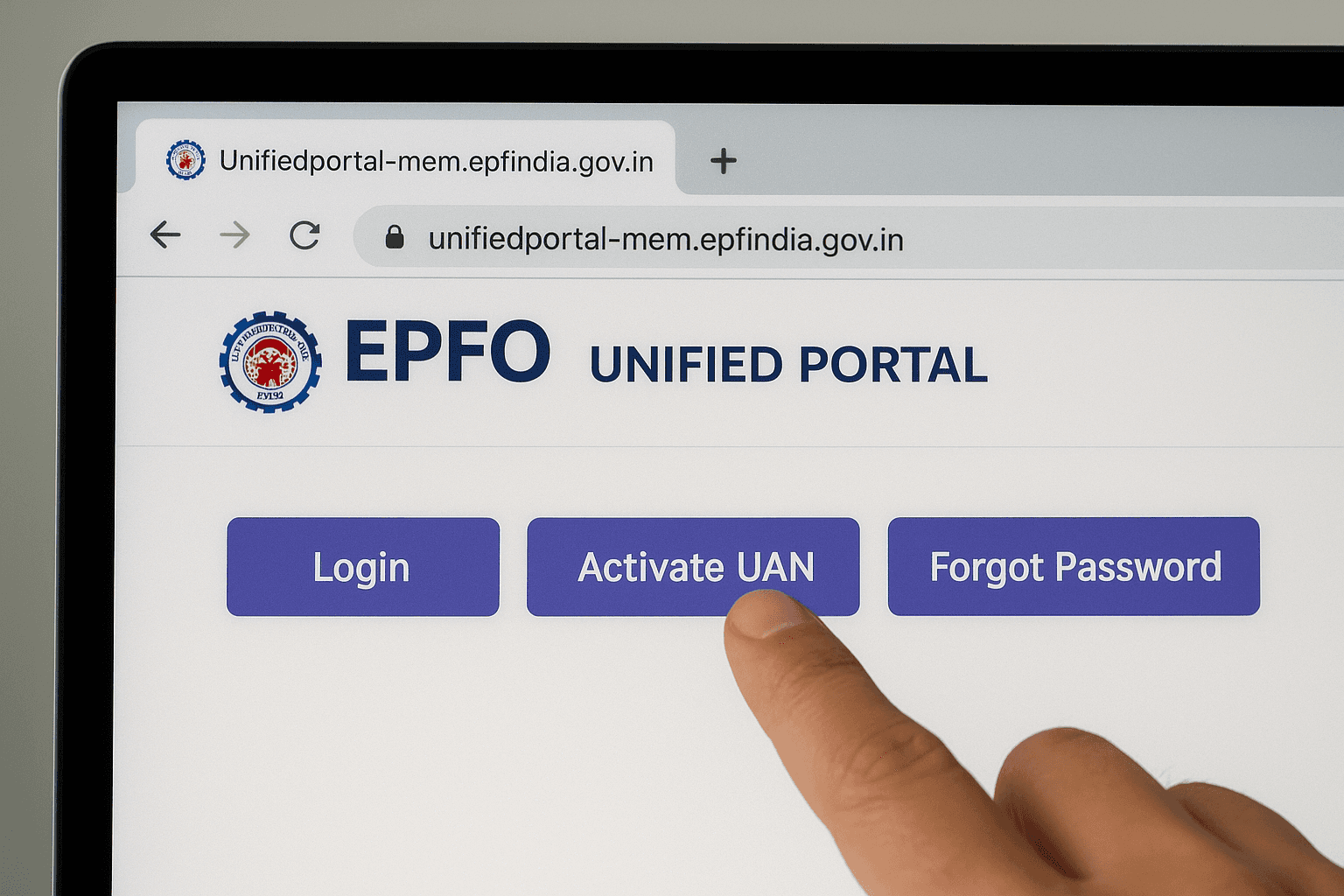
When you reach the correct page, you'll see the EPFO logo and "Unified Portal" branding at the top. The page offers three main options: Login, Activate UAN, and Forgot Password. These are the only entry points you'll need for account access.
Never enter your UAN or password on any website that doesn't end in
.epfindia.gov.inor.epfindia.net.
Verify you're on a legitimate page
Fake EPFO sites often use similar-looking domains like epfindia.com or epfo-portal.in. Before proceeding, check for the green padlock icon in your browser's address bar, which indicates a secure HTTPS connection. If you see any spelling variations in the URL or security warnings from your browser, close the tab immediately and start over.
Step 2. Log in, activate UAN, or reset your password
Once you're on the epfo member portal, you'll follow different paths depending on whether you're a returning user, a first-time user, or someone who needs password recovery. The portal makes each process straightforward, but knowing which option to choose saves you time and prevents unnecessary account lockouts.
Login for existing users
Click the "Login" button on the unified portal homepage. Enter your UAN in the first field and your password in the second. Type the CAPTCHA code displayed on screen exactly as shown, including capital letters. After clicking submit, you'll receive an OTP on your linked mobile number. Enter this OTP within the time limit to access your dashboard.
If you enter the wrong password three times consecutively, the system will temporarily lock your account for 24 hours as a security measure.
First-time users must activate their UAN before attempting to log in through the standard login page.
Activate your UAN for first-time access
New members need to click "Activate UAN" instead of login. Enter your UAN, mobile number, and email address in the form. The system sends an OTP to your mobile for verification. Once verified, you'll create a new password following the strength requirements displayed on screen.
Reset a forgotten password
Select "Forgot Password" from the main portal page. Enter your UAN and verify through OTP. You'll immediately create a new password that meets security criteria, including at least one uppercase letter, one number, and one special character.
Step 3. Check PF balance and view your passbook
After logging into the epfo member portal, checking your PF balance takes just seconds. Your dashboard displays your current balance prominently, but the real value lies in your detailed passbook, which shows every contribution, withdrawal, and interest credit since your account opened. Understanding both features helps you verify contributions and track your retirement corpus growth.
View your current balance
Your PF balance appears immediately on the main dashboard after login. This figure represents the total amount in your account, including both employee and employer contributions plus accumulated interest. Click the "View Passbook" option in the menu to see the complete transaction history behind this number.
The balance updates within a few days of your employer depositing monthly contributions. If you notice a delay beyond 15 days from your salary date, check with your HR department about the payment status.
Download your complete passbook
Select "Member Passbook" from the main menu and choose the member ID if you have multiple accounts. Click "View Passbook" to generate a PDF showing all transactions. This document lists opening balance, monthly contributions from you and your employer, interest credits, and any withdrawals or transfers.
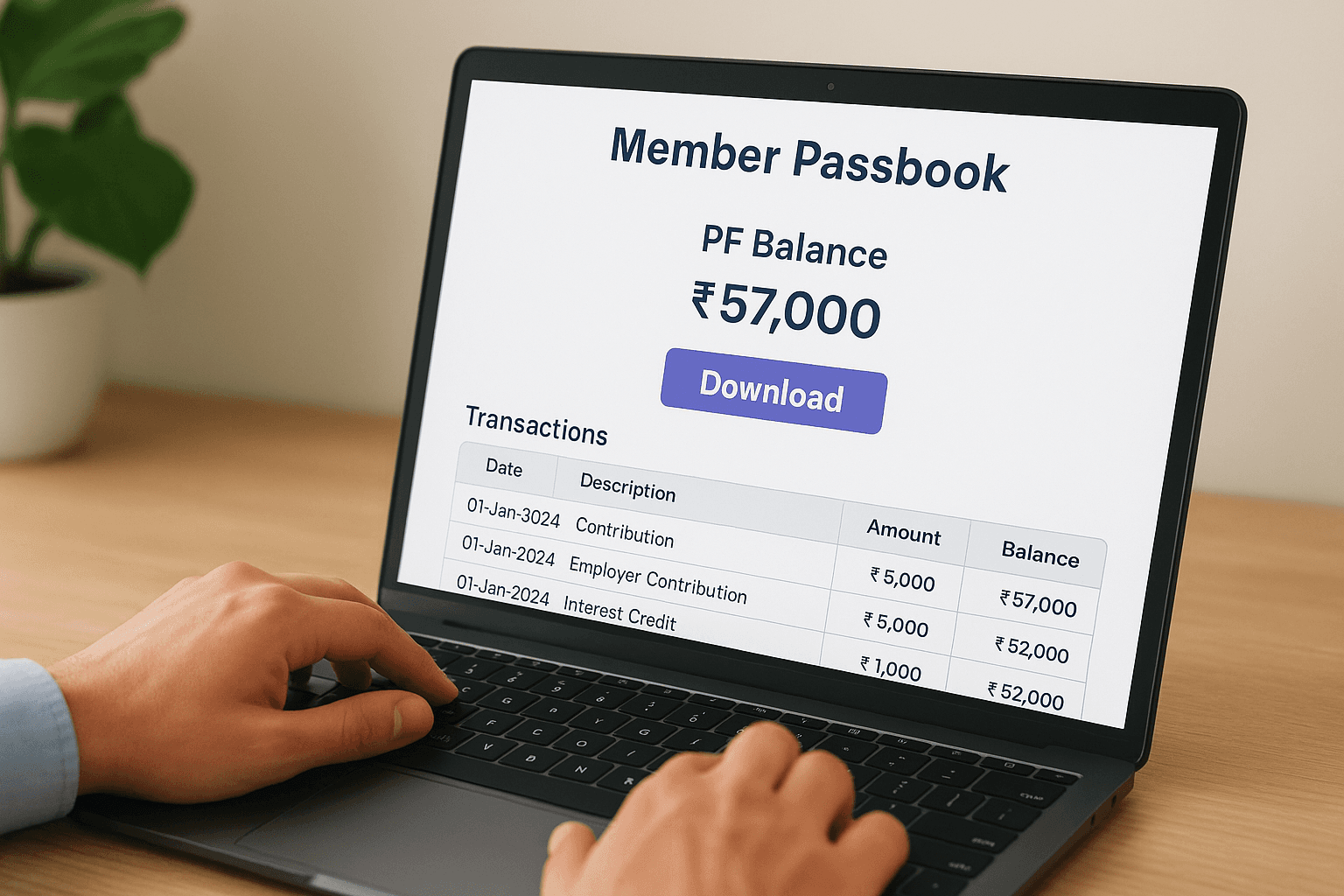
Your passbook serves as official proof of contributions and is required when applying for loans or planning retirement withdrawals.
Step 4. Track claims and use key online services
The epfo member portal extends far beyond balance checking. You can track pending claims, update personal details, and access multiple services without visiting an EPFO office. These online tools save you time and provide real-time updates on applications that previously required weeks of phone calls and office visits.
Check your claim status
Navigate to "Track Claim Status" from the main menu after logging in. Enter your claim ID or select from your list of submitted applications. The portal displays your claim's current stage, whether it's with your employer for verification, under EPFO processing, or approved for payment. Each status update includes the date of action and next expected step.
Claims typically process within 3 to 20 days if all KYC details are complete and your Aadhaar is linked.
Access other member services
The portal offers several additional services in the "Online Services" menu:
Update KYC details: Modify your Aadhaar, PAN, or bank account information
Transfer claims: Request PF transfer from previous employers to your current account
Raise grievances: File complaints about delayed claims or contribution issues
Download certificates: Get service certificates and contribution statements instantly
Wrap up and what to do next
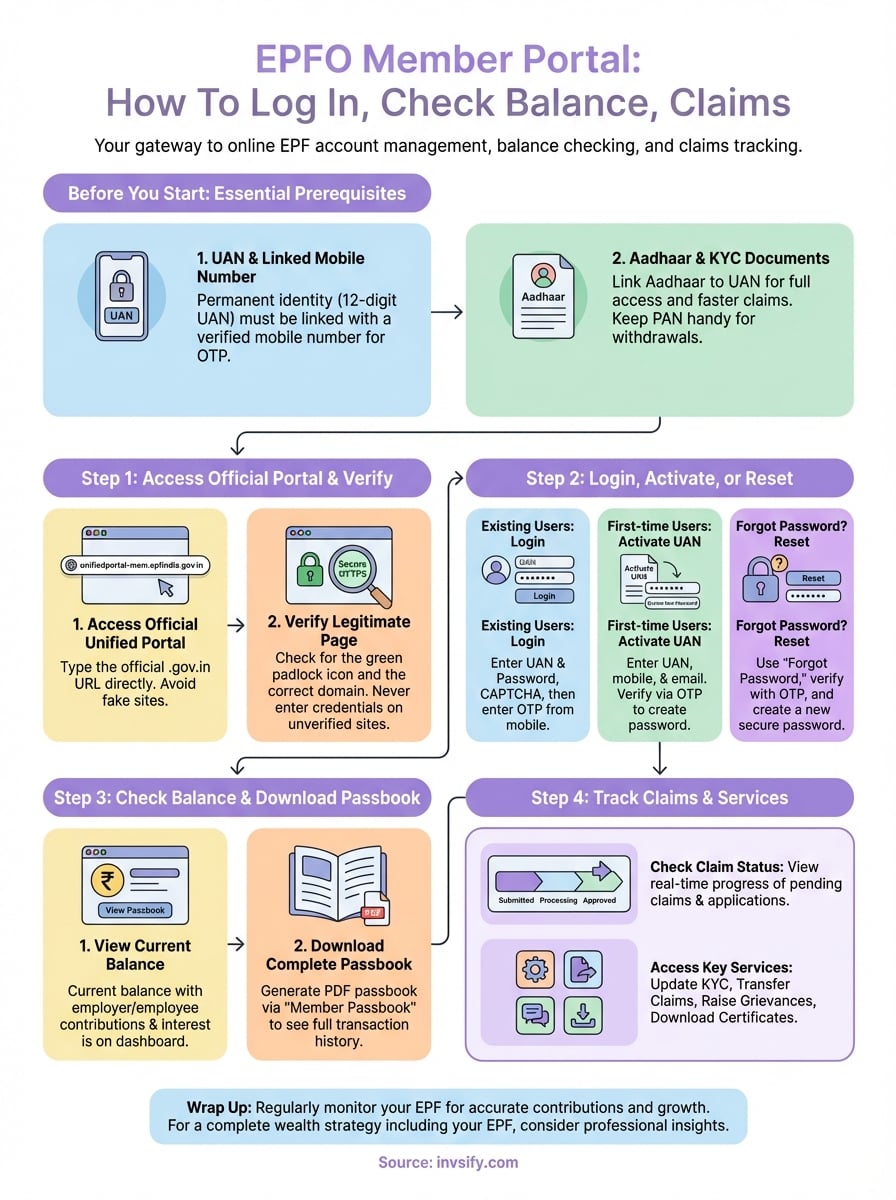
You now have complete access to the epfo member portal and understand how to check your balance, download your passbook, track claims, and update KYC details. These online tools put your retirement savings data directly in your hands, eliminating the need for intermediaries or endless HR follow-ups. Regular monitoring ensures your employer deposits contributions on time and your account grows exactly as expected.
Your EPF represents just one component of your complete financial picture. While it provides essential retirement security, truly optimizing your wealth requires understanding how all your investments work together. At Invsify, we combine AI-powered insights with human expertise to help salaried Indians maximize returns across their entire portfolio, including tax-efficient strategies that complement your PF contributions and reduce hidden fees that traditional distributors charge.
Start building your complete wealth strategy with transparent, conflict-free financial advice designed specifically for professionals like you.