Invest In NPS Online: Step-By-Step Contribution Guide In India
Shlok Sobti

Invest In NPS Online: Step-By-Step Contribution Guide In India
The National Pension System offers one of the most tax-efficient ways to build your retirement corpus in India. Yet, many people delay opening an account simply because they're unsure how to invest in NPS online. The process is actually straightforward once you know where to go and what steps to follow.
Whether you're a salaried professional looking to maximize your 80CCD(1B) deductions or someone who wants to start retirement planning independently, this guide walks you through everything. You'll learn how to open a new NPS account through official portals and how to make contributions to an existing one, all from your phone or laptop.
At Invsify, we help investors make smarter, conflict-free financial decisions. NPS fits into a broader wealth-building strategy, and understanding how to manage it online gives you greater control over your retirement planning. Let's get you started with the exact steps.
Before you start: eligibility, PRAN, and documents
You need to know a few basics before you attempt to invest in NPS online. The system requires specific eligibility criteria, and you'll encounter a unique 12-digit number called PRAN throughout the process. Getting these details right from the start saves you from rejection or delays when you're ready to contribute.
Who can open an NPS account
Any Indian citizen between 18 and 70 years old can open an NPS account. Non-Resident Indians (NRIs) are also eligible, provided they opened the account while they were resident citizens of India. If you're already 70, you cannot open a new account, but existing account holders can continue contributing beyond this age.
You don't need to be employed or earn a minimum salary. Self-employed professionals, homemakers, students, and anyone else with a valid KYC can start investing. The minimum initial contribution is just ₹500 for regular NPS and ₹1,000 for corporate NPS.
You can open both Tier I (retirement-focused) and Tier II (flexible withdrawal) accounts, but Tier II requires an active Tier I first.
What PRAN means and where you'll use it
PRAN stands for Permanent Retirement Account Number, a unique 12-digit identifier assigned when you open your NPS account. Think of it like your PAN card, but exclusively for NPS. This number stays with you for life, even if you change jobs, cities, or contribute through different platforms.
You'll need your PRAN every single time you log in to make contributions, check your balance, or update nominee details. Write it down securely after registration because you cannot proceed with any online transactions without it.
Documents you must keep ready
Before you start the online application, gather these four essential documents in digital format:
PAN card (mandatory for KYC verification)
Aadhaar card (required for eKYC and identity proof)
Bank account details (cancelled cheque or bank statement showing your name, account number, and IFSC code)
One recent photograph (passport-sized, JPEG or PNG format, under 50KB)
Some platforms also ask for your mobile number and email address, which must match your bank records. If you're opening a corporate NPS account through your employer, you may need additional forms or salary slips, but individual Tier I accounts only require these four items.
Keep soft copies on your phone or laptop so you can upload them instantly when prompted.
Step 1. Open NPS online and get your PRAN
You can open an NPS account and obtain your PRAN entirely online without visiting any physical office. The government's official eNPS portal handles the entire process digitally, and you'll receive your PRAN immediately after successful registration. This takes roughly 15 to 20 minutes if you have all your documents ready.
Choose your registration platform
Head to the official eNPS website (enps.nsdl.com) or the NSDL-CRA portal (cra-nsdl.com) to start your application. Both platforms are managed by the Central Recordkeeping Agency and let you invest in NPS online with the same security standards. The eNPS portal is simpler for first-time users because it offers a cleaner interface and fewer navigation steps.
Avoid third-party websites or apps claiming to register NPS accounts. The government recognizes only CRA-operated portals as official channels, and using unofficial platforms risks your personal data or leads to rejected applications.
Always verify the URL starts with "https" and shows a lock icon in your browser before entering any personal information.
Complete the eKYC registration
Click on "Registration" and select "Subscriber Registration." You'll see options for Tier I or both Tier I and Tier II accounts. Choose Tier I if you're starting fresh (you can add Tier II later). Enter your Aadhaar number and request an OTP on your registered mobile number.
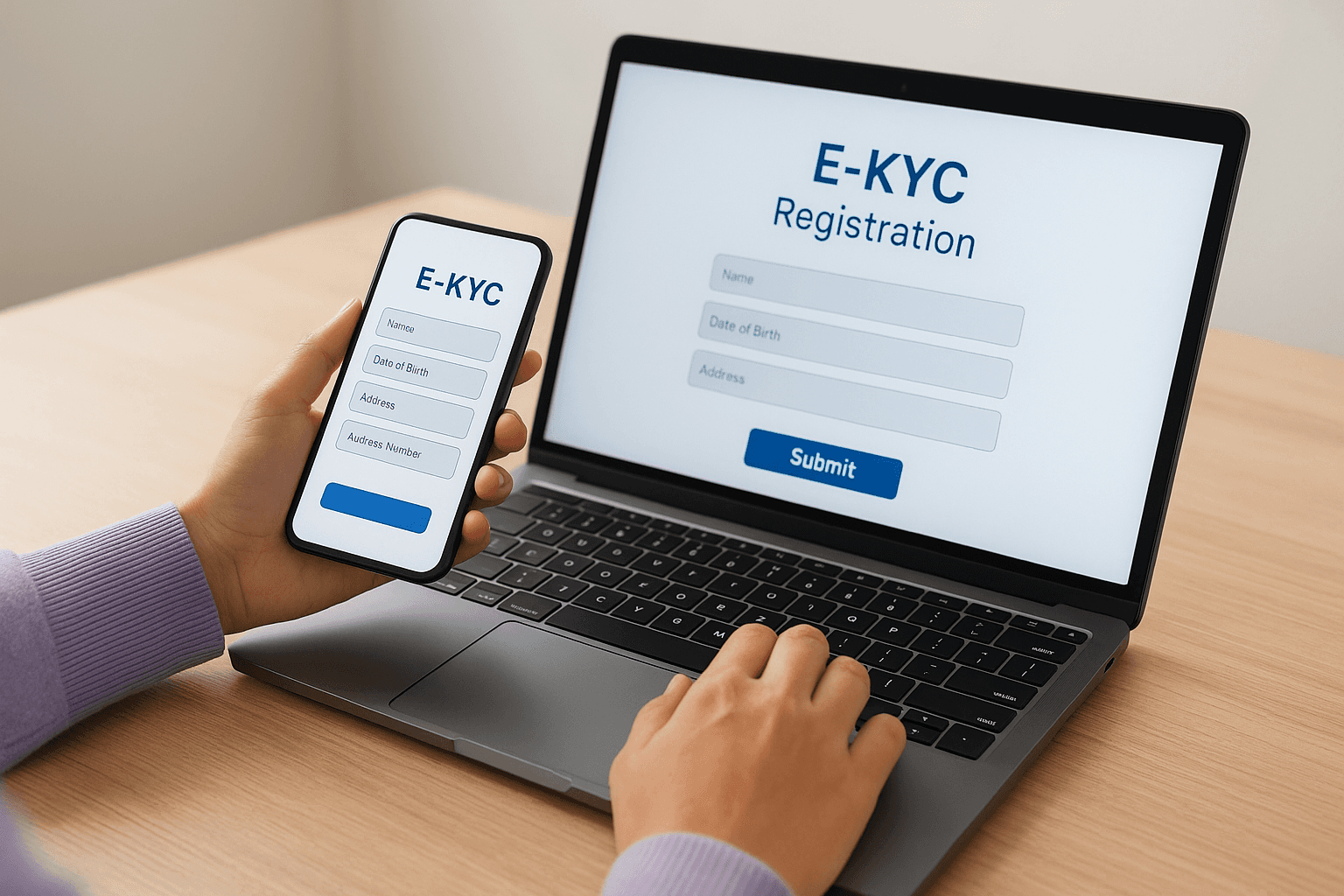
Once you verify the OTP, the system auto-fills your name, date of birth, and address from your Aadhaar records. Cross-check every field for accuracy because mismatches between your PAN and Aadhaar data will block approval. Upload your photograph and bank proof, then select your preferred fund manager and investment scheme (you can change these later).
Submit the application and note down the acknowledgment number. Your PRAN will arrive via email and SMS within 24 to 48 hours if all documents pass verification.
Step 2. Contribute online to Tier I or Tier II
Once you have your PRAN, you can invest in NPS online anytime through the same eNPS portal or your bank's net banking platform. Tier I contributions lock your money until retirement (age 60) but offer maximum tax benefits under 80CCD(1B). Tier II lets you withdraw freely but provides no tax deductions, making it suitable only for short-term savings goals.
Access your contribution interface
Log in to the eNPS portal using your PRAN and password. Navigate to the "Contribution" tab on your dashboard and select whether you're depositing into Tier I or Tier II. The system will display your current balance and ask you to confirm your bank account details before proceeding.
If you prefer using your bank's platform, most major banks (SBI, HDFC, ICICI, Axis) have an NPS option under "Investments" in their net banking menu. This method auto-fills your account details and skips the need to log into a separate portal.
Enter your contribution amount and confirm payment
Choose the amount you want to deposit. The minimum per transaction is ₹500 for Tier I and ₹1,000 for Tier II. You can contribute monthly, quarterly, or in one lump sum, whatever suits your cash flow. Select your preferred investment choice (Active or Auto) if prompted, though you can skip this if you've already set it during registration.
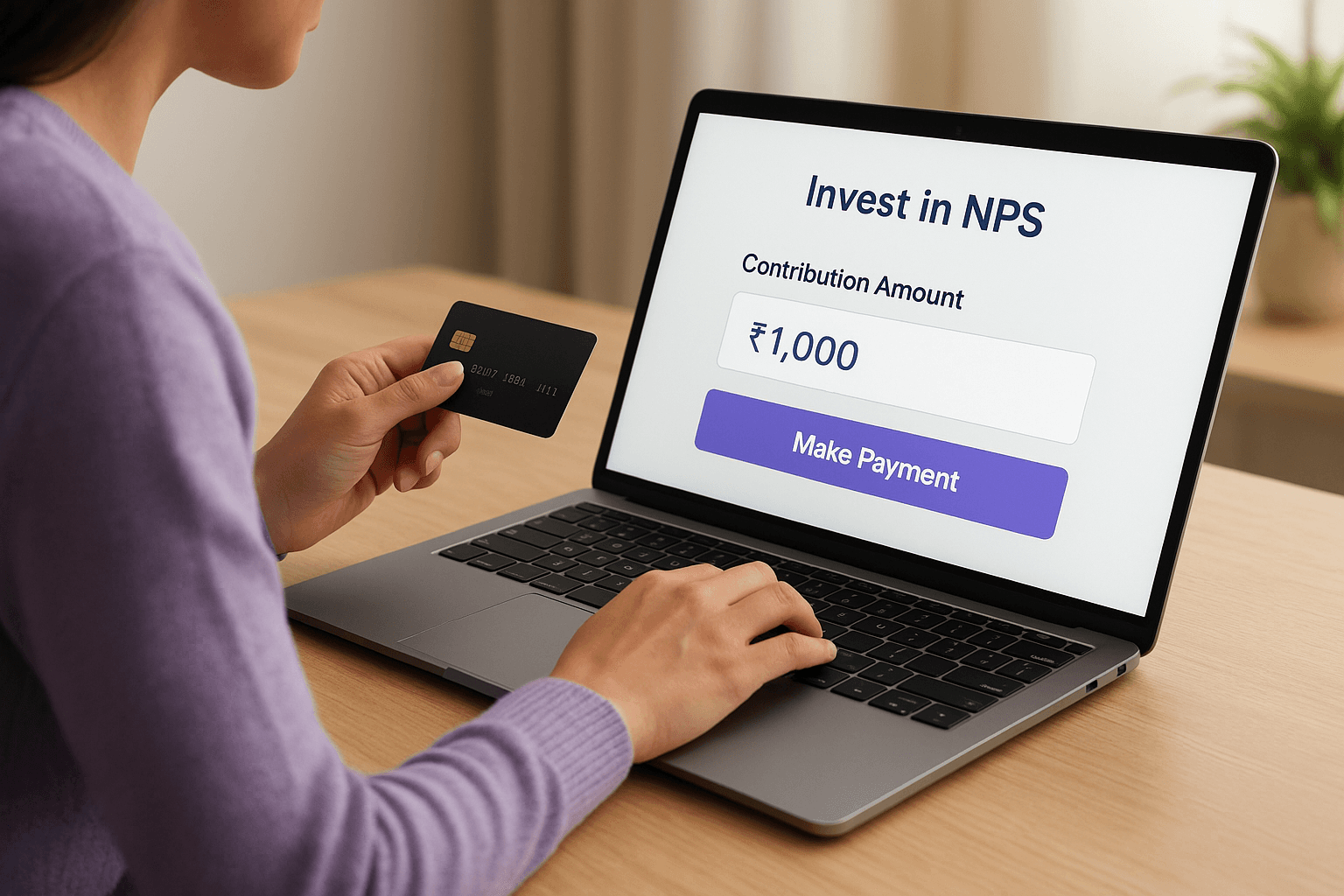
Most salaried employees contribute the maximum ₹50,000 annually to Tier I to claim the full 80CCD(1B) deduction on top of Section 80C limits.
Click "Make Payment" and choose net banking, UPI, debit card, or NEFT/RTGS. Complete the payment through your bank's gateway. Save the transaction reference number for tracking your deposit.
Step 3. Confirm credit and check your statement
Your contribution doesn't appear in your NPS account instantly. Payment processing takes 24 to 72 hours depending on your bank and the payment method you chose. You need to verify that your money reached the correct account because technical glitches or incorrect PRAN entry can route funds to the wrong place or trigger refunds.
Track your payment status
Log back into the eNPS portal using your PRAN and check the "Transaction Status" section under your dashboard. Enter the transaction reference number you saved during payment. The system will show whether your contribution is "Pending," "Credited," or "Failed." If it stays pending beyond three working days, contact your bank first to confirm they debited the amount.
You can also call the NPS Trust helpline at 1800-110-069 and provide your PRAN and transaction details for manual verification. They'll tell you exactly where your payment stands in the processing queue.
Failed transactions usually refund within 7 to 10 working days, so wait before attempting another contribution with the same amount.
Download your transaction statement
Navigate to the "Statement of Transaction" tab on the eNPS portal once your payment shows as credited. Select the date range covering your recent contribution and click "Download." The PDF statement lists every deposit you made, the units allocated at prevailing NAV, and your updated balance across equity, corporate bonds, and government securities.
Check that the amount matches your payment and that the transaction date aligns with when you invest in NPS online. Save this statement for your tax filing records under Section 80CCD, as your chartered accountant will need it during ITR preparation.
Fix common errors and keep your account safe
Payment failures and login issues frustrate many users who try to invest in NPS online, but most problems stem from simple verification mismatches or expired sessions. You need to know exactly which errors signal temporary glitches versus serious account problems. Protecting your PRAN and login credentials matters just as much because unauthorized access can redirect your retirement savings or change your nominee details without your knowledge.
Resolve payment failures and PRAN issues
Check your bank account balance first if your transaction shows "Payment Failed" on the eNPS portal. Insufficient funds or daily transfer limits cause most rejections, especially if you're contributing large amounts near month-end. Log into your net banking and confirm the debit actually happened before attempting another payment, because duplicate transactions can lock your account temporarily.
PRAN-related errors usually appear when you enter the wrong 12-digit number or your KYC details don't match across Aadhaar, PAN, and bank records. Double-check every digit in your PRAN and ensure your name spelling matches exactly across all documents. Contact the CRA helpline at 1800-110-069 if you see "Invalid PRAN" despite entering the correct number, as backend server issues occasionally block valid credentials.
If your payment debited but didn't credit to NPS within 72 hours, file a grievance through the eNPS portal under "Grievance Redressal" with your transaction reference number.
Protect your login credentials
Change your eNPS password every 90 days and avoid using the same password across banking platforms. Hackers target retirement accounts because large balances accumulate over years, making them attractive for phishing attacks. Enable two-factor authentication if your CRA portal offers it, and never save your PRAN or password in browser autofill on shared computers.
Log out completely after every session instead of just closing the browser tab. Bookmark the official enps.nsdl.com URL and type it directly rather than clicking email links claiming to be from NPS, as scammers send fake password reset requests to steal credentials.
Quick wrap-up
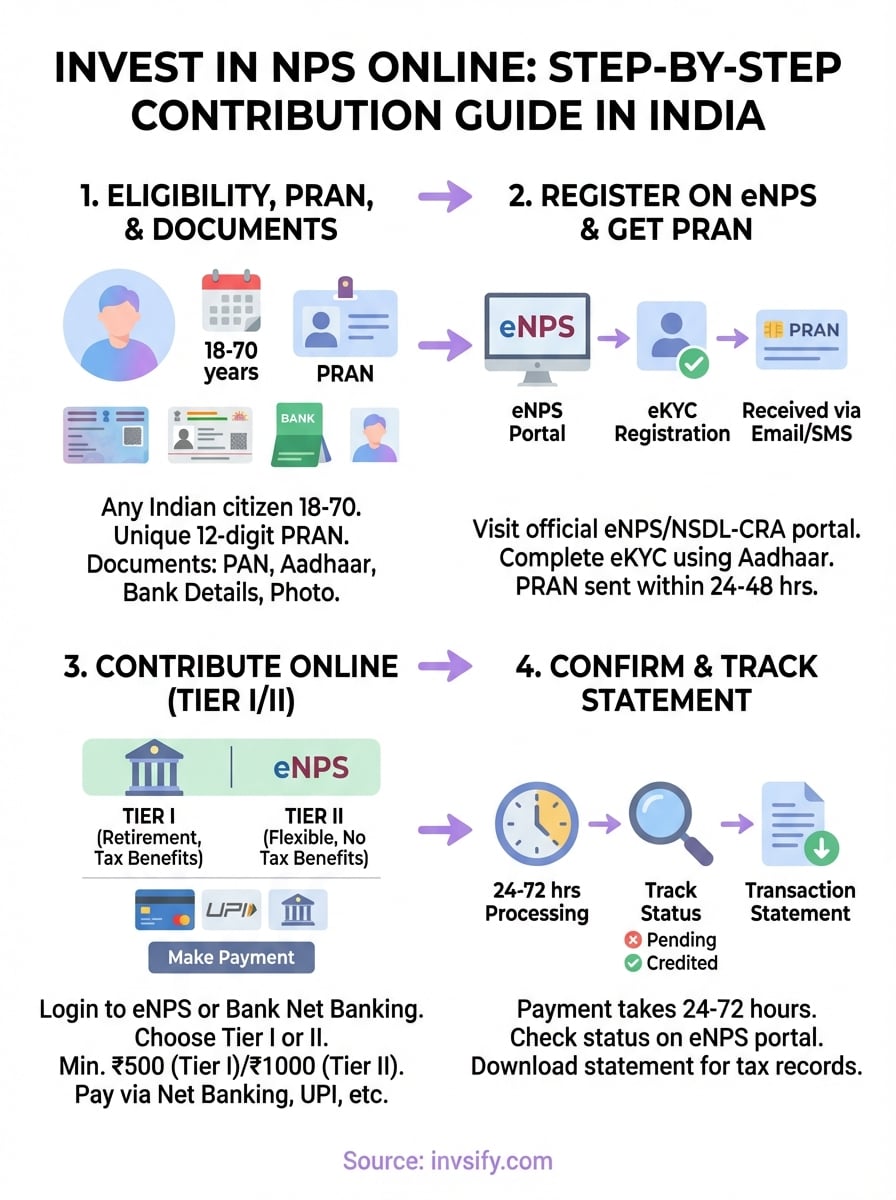
You now know exactly how to invest in NPS online without visiting any office or dealing with paperwork delays. The process boils down to four clear steps: gather your documents and verify eligibility, register on the eNPS portal to get your PRAN within 48 hours, make contributions through net banking or UPI, and confirm your payment credited correctly. Each deposit builds your retirement corpus with tax benefits that traditional savings accounts can't match.
Track your NPS balance regularly and increase contributions whenever your income grows. Invsify helps you optimize your entire investment portfolio, not just NPS, by combining AI-powered insights with human expertise. Our platform shows you exactly where NPS fits alongside other retirement vehicles, so you maximize returns without paying hidden distributor fees. Start with NPS today, then explore how professional wealth management can accelerate your financial goals.