KFintech Capital Gains Statement: How to Access It Online
Shlok Sobti

KFintech Capital Gains Statement: How to Access It Online
Tax season approaches and you need your mutual fund capital gains statement from KFintech. You're not alone in this struggle. Thousands of investors scramble each year to gather these documents for ITR filing. The problem is that KFintech serves as the registrar for multiple mutual fund houses and finding where to download your consolidated statement can feel like navigating a maze. Most investors waste hours searching their email or calling customer care.
Good news. KFintech offers a straightforward online portal where you can request your capital gains statement by PAN or folio number. You'll receive a password protected PDF via email within minutes. No need to visit branch offices or contact customer support for this basic report.
This guide walks you through the exact process. You'll learn how to verify KFintech is your registrar, request the statement through their portal, and understand what the numbers mean in your PDF. We'll also cover common errors like incorrect PAN details or missing email delivery so you can file your taxes without delays.
What is a KFintech capital gains statement
A KFintech capital gains statement is a PDF document that summarizes your profits or losses from mutual fund transactions during a specific financial year. This report includes purchase dates, sale dates, holding periods, and the amount you gained or lost on each investment. KFintech generates this statement for all mutual funds where they act as the registrar and transfer agent.
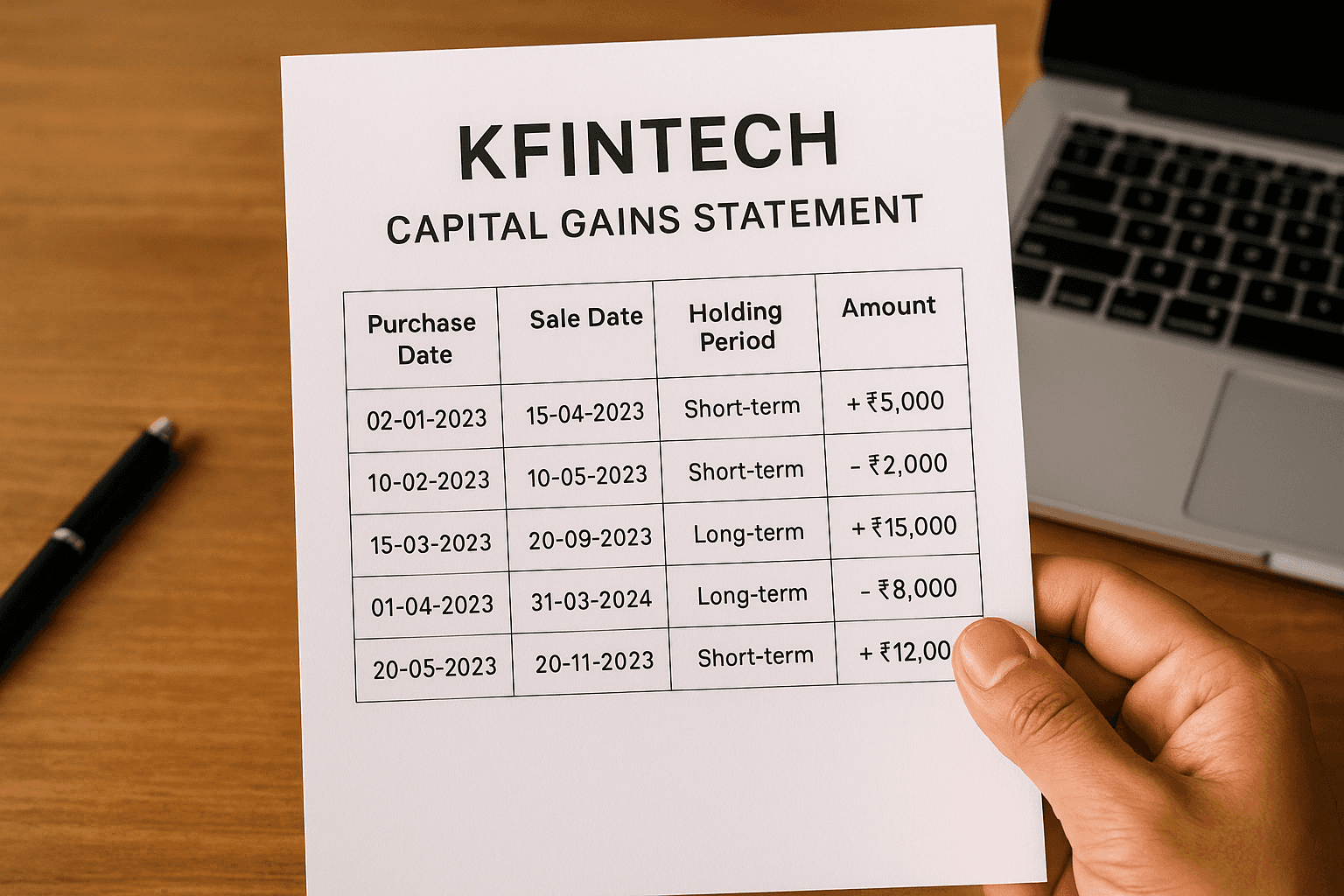
You need this document for income tax filing because capital gains count as taxable income. The statement classifies gains as short-term or long-term based on your holding period, which directly affects your tax rate.
KFintech processes over 2 crore investor transactions monthly across multiple fund houses.
Step 1. Confirm KFintech is your registrar
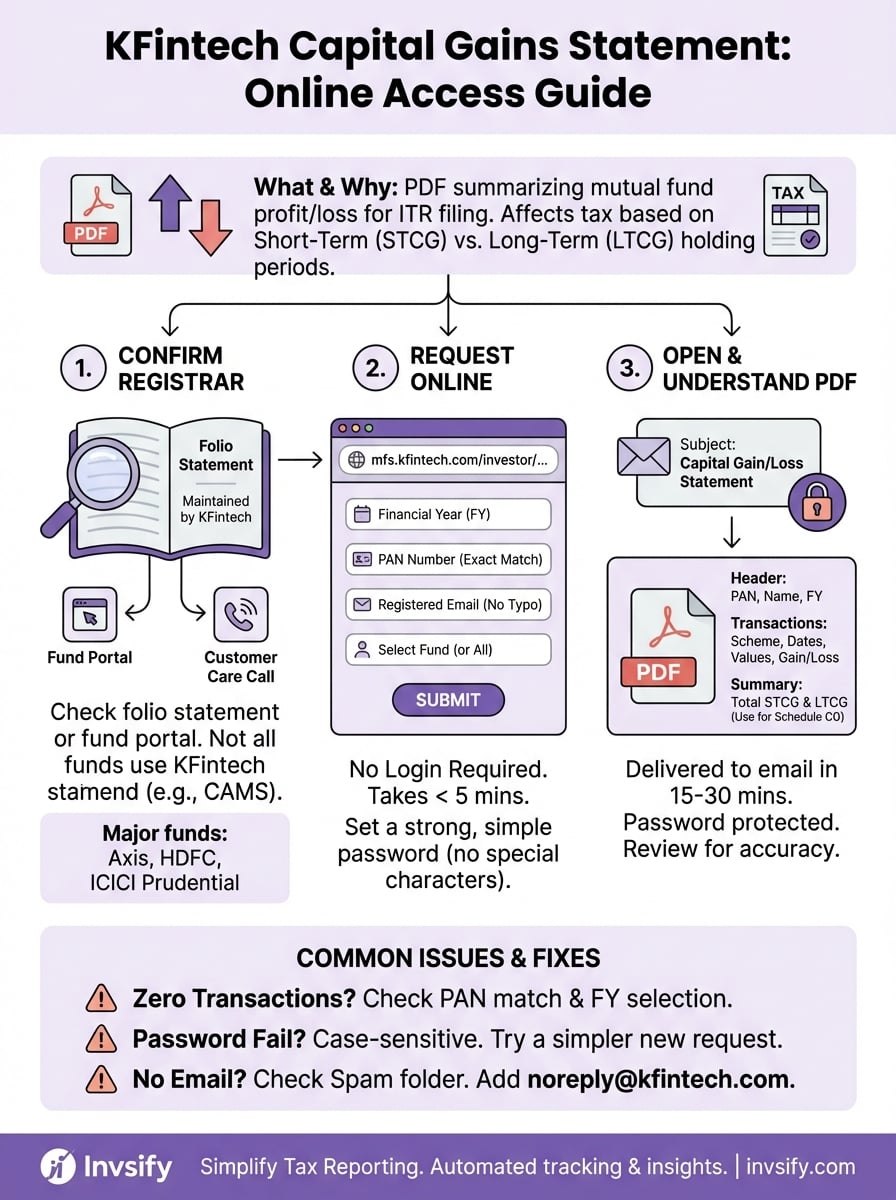
Before you request a kfintech capital gains statement, you need to verify that KFintech actually maintains your mutual fund records. Not all mutual fund houses use KFintech as their registrar. Some funds use CAMS (Computer Age Management Services) or their own in-house systems. Downloading from the wrong portal wastes your time and you'll receive an empty report with no transactions listed.
Check your folio statement first
Your monthly account statement or folio statement shows the registrar's name at the bottom of each page. Look for phrases like "Maintained by KFintech" or "KFin Technologies Limited" printed in the footer section. If you don't have a recent statement, log into your mutual fund company's investor portal and navigate to account details or investor services. You can also call your fund house's customer care number and ask directly which registrar maintains your folio.
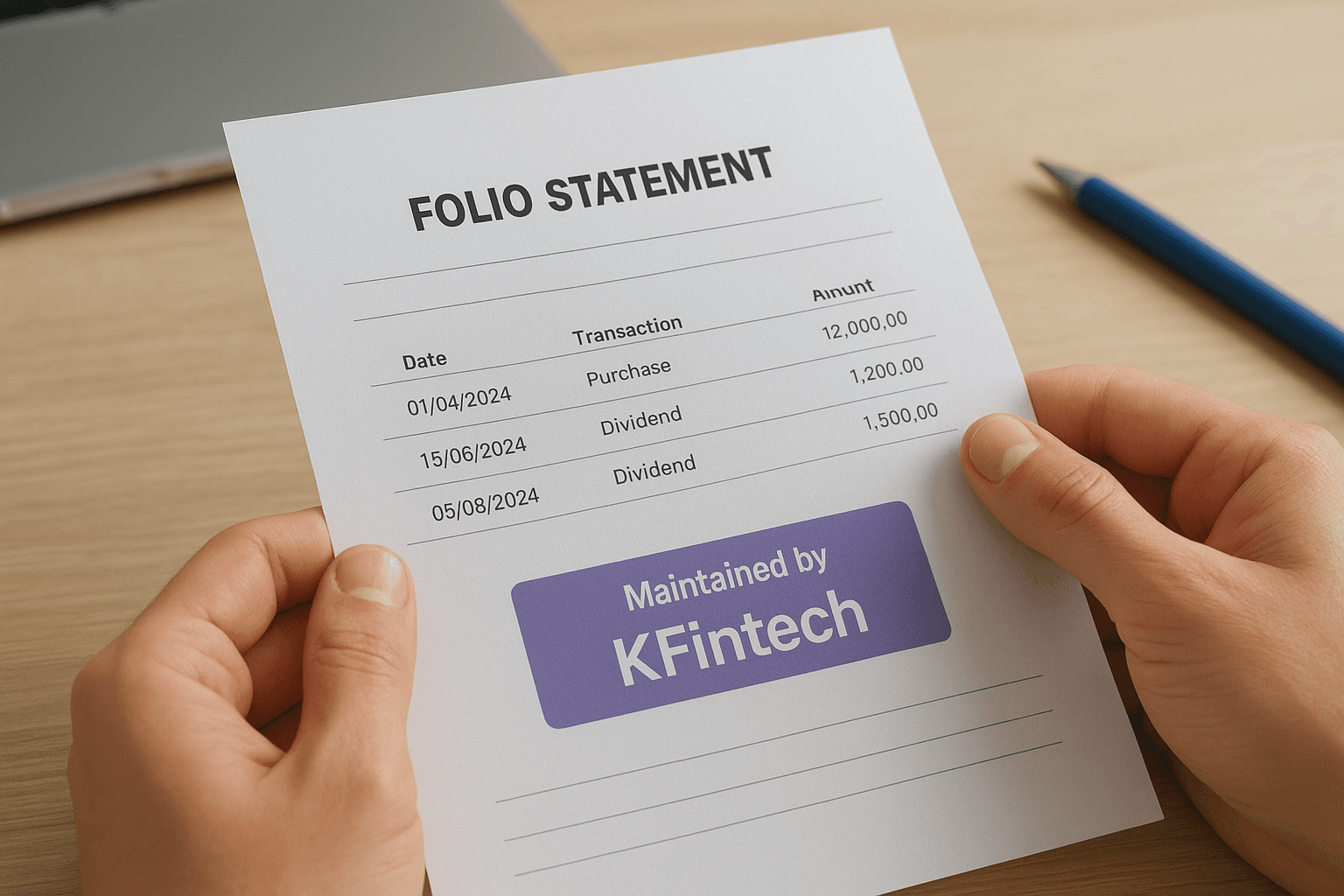
Major fund houses using KFintech include Axis Mutual Fund, HDFC Mutual Fund, and ICICI Prudential Mutual Fund.
Step 2. Request the statement on KFintech
You can now request your kfintech capital gains statement directly from their online portal. The process takes less than five minutes and requires only your PAN number and registered email address. KFintech delivers your statement as a password protected PDF to avoid unauthorized access to your financial data.
Navigate to the capital gains portal
Open your browser and visit mfs.kfintech.com/investor/General/CapitalGainsLossAccountStatement. This URL takes you directly to the capital gains request page without requiring login credentials. The page displays a simple form with five sections you must complete. KFintech designed this as a non-login service so you can access your statement even if you never created an account on their platform.
Fill out the request form
Start by selecting your desired financial year from the period dropdown. You can choose the current FY or select from the previous three financial years depending on which period you need for tax filing. Next, enter your PAN number exactly as it appears on your PAN card. Any mismatch between this PAN and your mutual fund folio records will result in an empty statement. Type your registered email address in the email field. KFintech sends the PDF only to this address so double check for typos.
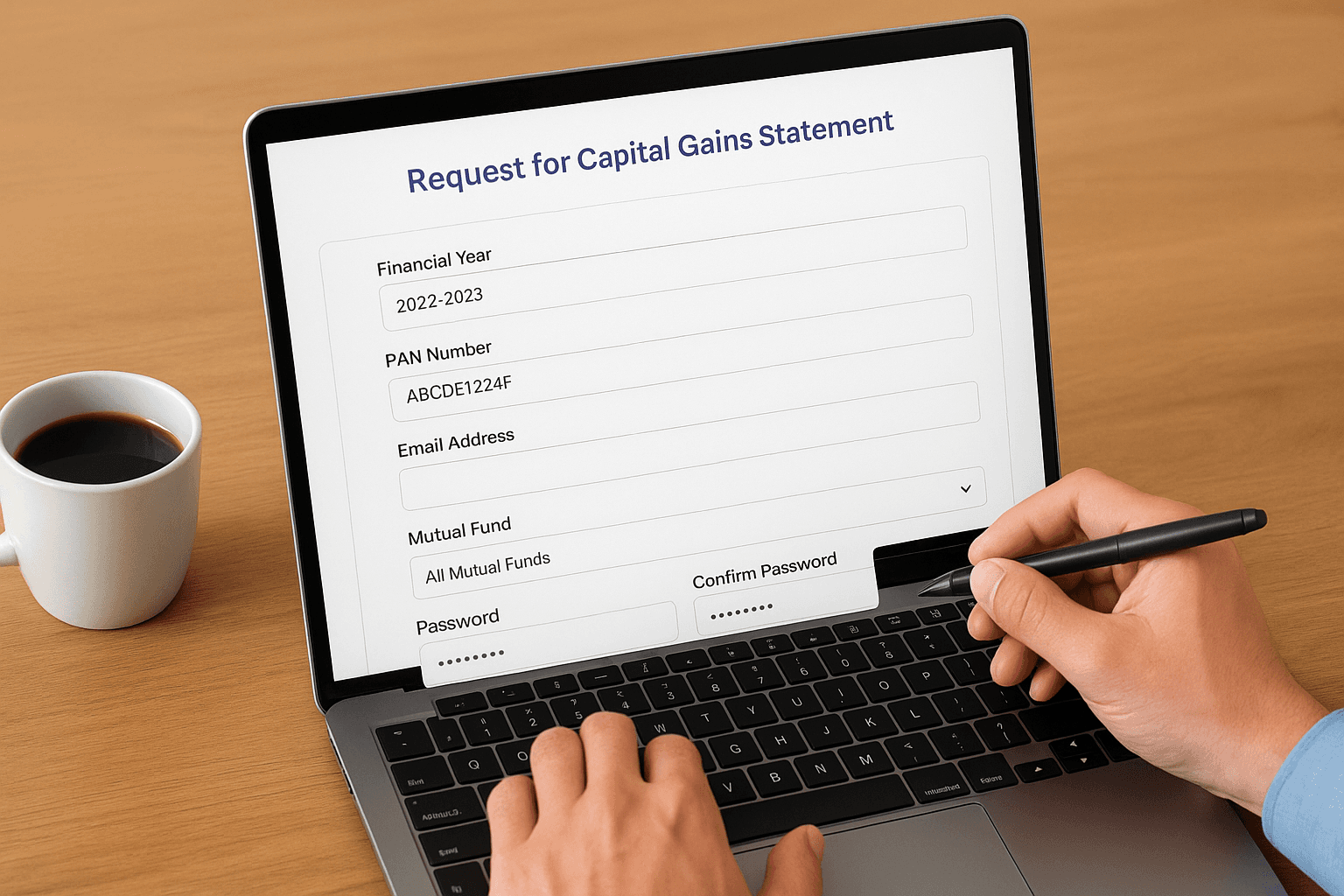
KFintech requires your email address to match the one registered with your mutual fund folios.
Select your specific mutual fund from the dropdown list or choose "All Mutual Funds" if you hold investments across multiple fund houses serviced by KFintech. The statement format defaults to PDF which works for most tax filing software.
Set your password and submit
Enter a strong password in both the password and confirm password fields. You'll use this password to open the encrypted PDF attachment when it arrives in your inbox. Click the submit button and wait for the confirmation message. KFintech processes most requests within 15 minutes and sends the statement to your registered email address.
Step 3. Open and understand your PDF
Check your inbox within 15 to 30 minutes after submitting your request. The email arrives from KFintech with the subject line "Capital Gain/Loss Statement" and contains a password protected PDF attachment. Download this file to your computer and open it using any PDF reader like Adobe Acrobat or your browser's built-in viewer. Enter the password you created during the request process when prompted.
Locate key sections in your statement
Your kfintech capital gains statement divides information into clear sections that you need to review for accurate tax filing. The header section displays your PAN number, name, and the financial year covered by the report. Below this, you'll find a transaction summary table that lists each mutual fund scheme where you realized gains or losses.
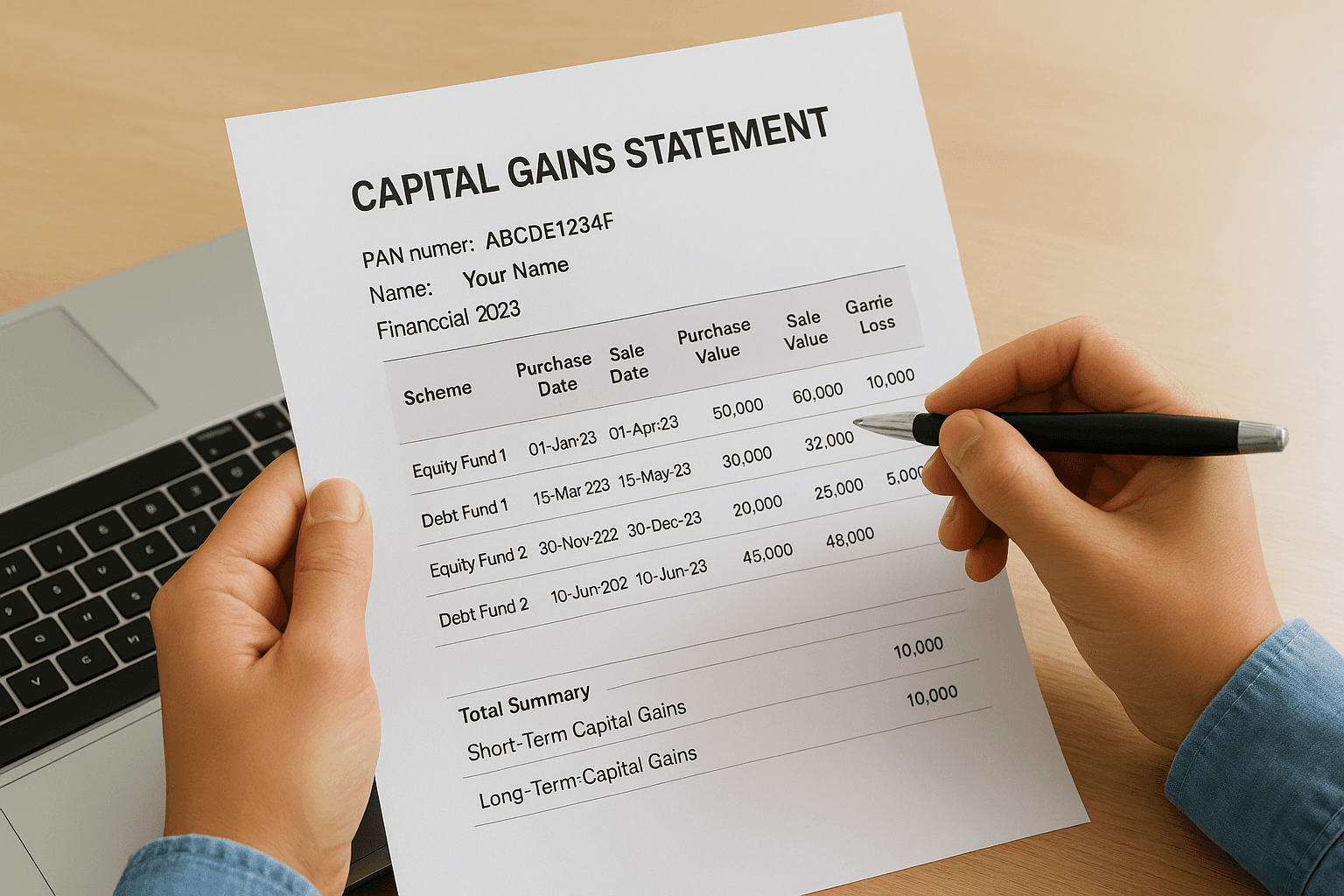
Each transaction row shows the scheme name, purchase date, sale date, purchase value, sale value, and calculated gain or loss. The statement separates these into short-term capital gains (STCG) and long-term capital gains (LTCG) based on your holding period. Equity funds held over one year qualify as long-term while debt funds need three years for LTCG treatment.
Tax rates differ significantly: STCG on equity funds attracts 15% tax while LTCG over ₹1 lakh faces 10% tax.
Look at the total summary at the bottom which aggregates all your gains and losses by category. You'll use these final numbers when filling Schedule CG in your income tax return.
Fixing common issues and FAQs
Problems accessing your kfintech capital gains statement usually stem from incorrect form entries or system timing issues. Most errors resolve within minutes once you identify the specific cause. This section covers the three most frequent problems investors face when requesting their statement from KFintech's portal.
Statement shows zero transactions
Your PDF arrives but displays no transactions or gains even though you know you sold mutual fund units during that financial year. This happens when the PAN you entered doesn't match the PAN registered with your folio. Verify your PAN spelling on the mutual fund company's website and submit a fresh request using the exact PAN format from your records. Another cause is selecting the wrong financial year in the period dropdown. Capital gains appear only in the year you completed the redemption, not when you purchased the units.
PDF password not working
You receive the email but cannot open the attached PDF because it rejects your password. KFintech's system is case sensitive and does not allow special characters in passwords. Re-enter the password exactly as you typed it during the request, paying attention to uppercase and lowercase letters. If you still cannot access the file, return to the capital gains portal and submit a new request with a simpler password containing only letters and numbers.
KFintech recommends passwords between 8 to 15 characters without special symbols.
Email not received after 30 minutes
Check your spam or junk folder first because some email providers flag automated financial statements as suspicious. Add noreply@kfintech.com to your contacts list and submit another request. Verify you entered the correct registered email address associated with your mutual fund folios, not a personal email you use for other accounts.
Final thoughts
You now have the complete process to download your kfintech capital gains statement from their online portal without calling customer support or visiting branch offices. This five-minute process gives you the exact data you need for ITR filing and tax calculations. Keep your registered email address and PAN number handy every tax season so you can request updated statements as needed.
Managing capital gains statements across multiple fund houses still requires manual effort and separate downloads. Invsify eliminates this hassle by consolidating all your investments in one dashboard with automated tax reporting features. Create your free Invsify account to track your portfolio, get AI-powered insights, and access comprehensive tax reports without juggling multiple registrar portals throughout the year.