NPS Trust Calculator: Estimate Pension, Corpus, Lump Sum
Shlok Sobti
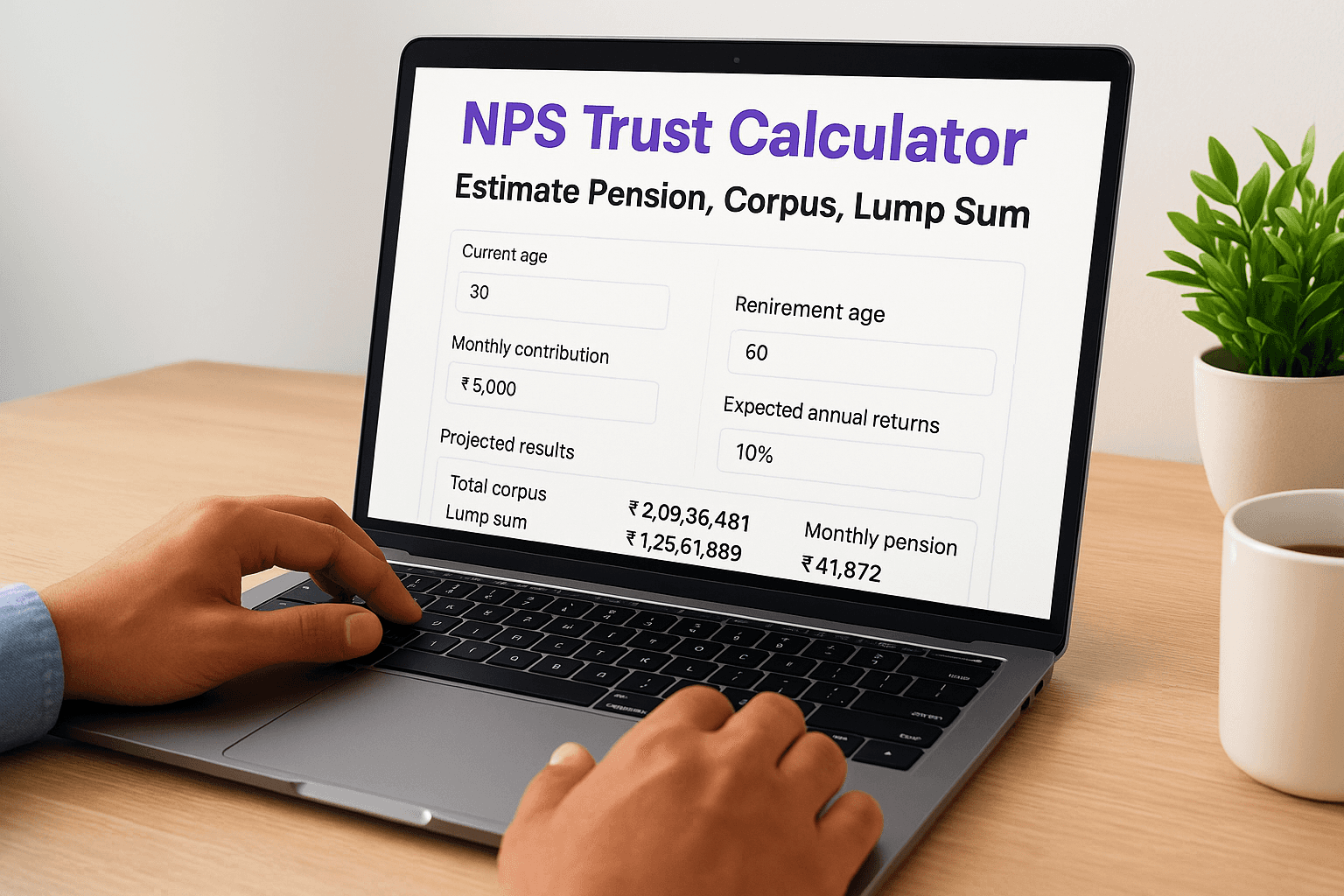
NPS Trust Calculator: Estimate Pension, Corpus, Lump Sum
Planning for retirement can feel overwhelming, especially when you're trying to figure out how much you'll actually have when you stop working. The NPS Trust calculator helps you cut through the guesswork by estimating your pension corpus, monthly payouts, and lump sum amounts based on your contributions and investment horizon.
Whether you're just starting your NPS journey or want to check if your current contributions align with your retirement goals, this calculator gives you concrete numbers to work with. At Invsify, we help salaried professionals make informed investment decisions, and understanding your NPS projections is a key part of building a solid retirement strategy.
This guide walks you through how to use the NPS Trust calculator effectively, what inputs you'll need, and how to interpret the results. By the end, you'll have the clarity to adjust your contributions and plan your retirement with actual figures instead of assumptions.
What the NPS Trust calculator can and can't tell you
The NPS Trust calculator gives you projected figures based on your inputs, but understanding its scope helps you use it correctly. The calculator estimates your retirement corpus, lump sum withdrawal amount, and monthly annuity payments using assumptions about contribution frequency, returns, and annuity rates.
What the calculator tells you
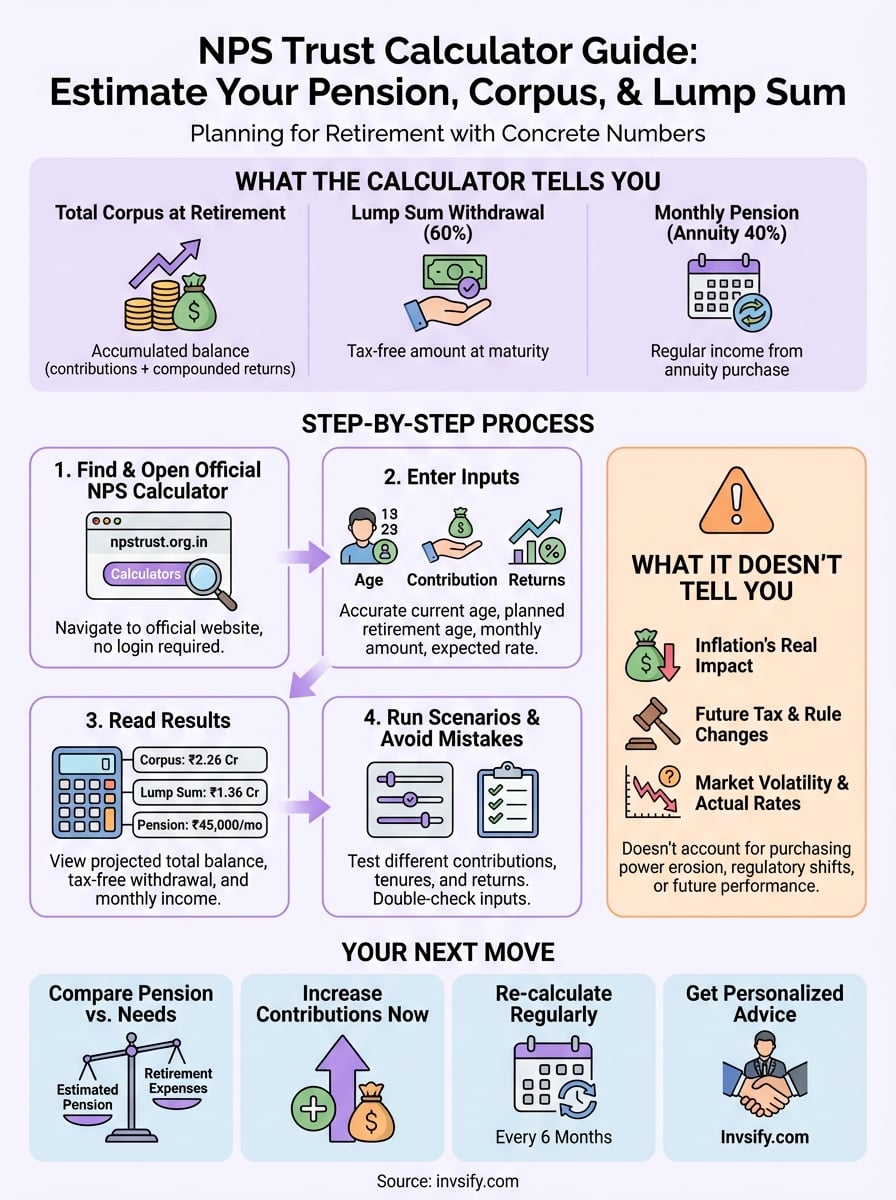
You'll get three main outputs when you use the tool. First, the total corpus accumulated at retirement shows how much your NPS account will grow based on your contribution pattern and expected returns. Second, the lump sum withdrawal (typically 60% of the corpus) reflects what you can take out tax-free at maturity. Third, the monthly pension amount estimates your regular income from the annuity purchased with the remaining 40% of your corpus.
The calculator also lets you compare different scenarios by adjusting your contribution amounts, investment tenure, and expected returns. This helps you see how increasing monthly contributions by ₹2,000 or starting five years earlier impacts your final retirement corpus.
The calculator uses standard assumptions that may not match your actual investment experience or future annuity rates.
What it doesn't tell you
The tool can't account for inflation's real impact on your purchasing power 20 or 30 years from now. Your projected monthly pension might look sufficient today, but the calculator won't show you whether ₹50,000 per month in 2050 will cover your expenses the same way it does now.
It also doesn't factor in tax implications beyond the basic structure or changes in NPS regulations over time. The calculator assumes current rules stay constant, which rarely happens over multi-decade investment periods. Market volatility, fund manager performance, and actual annuity rates at retirement will differ from the estimated rates you input today.
Step 1. Find and open the official NPS calculator
The NPS Trust calculator sits on the official NPS Trust website, which is managed by the Pension Fund Regulatory and Development Authority (PFRDA). You won't find it through a generic search, so knowing the exact URL path saves you time and ensures you're using the legitimate tool instead of third-party versions that might use different assumptions.
Navigate to the NPS Trust website
Open your browser and go to npstrust.org.in, the official domain for NPS Trust. Once the homepage loads, look for the "Calculators" or "Tools" section in the main navigation menu, typically located at the top of the page. The calculator might also be accessible under sections labeled "Subscriber Services" or "NPS Calculator."
Always verify you're on the official npstrust.org.in domain before entering any financial information or contribution details.
Click on the NPS calculator link to open the tool in your browser. The page loads a simple interface with input fields for your age, contribution amounts, and expected returns. You don't need to log in or register to use the basic calculator, though accessing personalized features tied to your NPS account requires authentication through your PRAN credentials.
Step 2. Enter inputs like age, contribution, and returns
The calculator requires four primary inputs to generate your projections: your current age, monthly contribution amount, expected rate of return, and the age at which you plan to retire. Each field directly affects your final corpus calculation, so accuracy matters more than optimistic guessing.
Fill in your age and retirement timeline
Start by entering your current age in the designated field, which the NPS Trust calculator uses to calculate your investment horizon. Next, input your planned retirement age (typically 60 for most salaried individuals, though NPS allows retirement between 60 and 75). The difference between these two numbers determines how many years your contributions will compound.
Enter contribution amounts and expected returns
Input your monthly contribution amount in the next field, including both your share and employer contributions if you're under the corporate NPS model. The calculator then asks for your expected annual return percentage, which typically ranges between 8% to 12% based on your asset allocation between equity and debt funds.

Conservative estimates (8-9%) give you a safer baseline, while aggressive assumptions (11-12%) show best-case scenarios.
Select your contribution frequency (monthly, quarterly, or annual) to match your actual investment pattern for accurate projections.
Step 3. Read the results for corpus, lump sum, pension
Once you click "Calculate" or "Submit", the nps trust calculator displays three critical numbers that define your retirement income structure. The results page shows your projected retirement corpus at the top, followed by the lump sum withdrawal amount and monthly pension estimates based on current annuity rates.
Understanding your total corpus figure
The total accumulated corpus represents the entire balance in your NPS account when you reach retirement age. This figure includes your contributions plus compounded returns over your investment period. For example, if you contribute ₹10,000 monthly from age 30 to 60 with 10% annual returns, your corpus might show approximately ₹2.26 crore as the final amount.
This corpus amount serves as the base for calculating both your lump sum withdrawal and your annuity purchase value.
Breaking down lump sum and annuity amounts
The calculator splits your corpus into two parts based on NPS withdrawal rules. You can withdraw 60% as a lump sum tax-free at retirement, which would be ₹1.36 crore in our example. The remaining 40% goes toward purchasing an annuity, which becomes ₹90 lakh. Your monthly pension amount appears below this, calculated using the annuity rate you entered (typically 6-7%), showing approximately ₹45,000 to ₹52,500 per month for life.

Step 4. Run scenarios and avoid common mistakes
The nps trust calculator becomes most valuable when you test multiple scenarios instead of running it once. Adjusting your inputs shows you how different decisions impact your retirement corpus, helping you make informed choices about contribution amounts and investment timelines.
Testing different contribution scenarios
Run at least three separate calculations to compare outcomes. First, calculate using your current contribution amount to establish a baseline. Then increase contributions by 20% to see the corpus difference, and finally model what happens if you start contributing an additional ₹5,000 monthly after your next salary increment.
Change one variable at a time to understand each factor's impact. For example:
Increase monthly contribution from ₹10,000 to ₹12,000 (keep other inputs same)
Extend retirement age from 60 to 65 (keep contributions same)
Adjust expected returns from 9% to 10% (keep timeline same)
Small changes in contribution amounts compound significantly over 20+ years, often adding lakhs to your final corpus.
Avoiding calculation errors
Double-check that you've entered employer contributions separately if your company matches NPS contributions, as missing this inflates your actual out-of-pocket costs. Verify the annuity rate matches current market rates (6-7% range) rather than using overly optimistic figures that won't materialize at retirement.
Your next move after you get the estimate
The nps trust calculator gives you numbers, but your actual retirement plan starts when you take action on those projections. Compare your estimated monthly pension against your expected expenses in retirement, accounting for inflation's impact on purchasing power. If the gap between your projected corpus and your retirement needs looks wide, increase your monthly contributions now rather than waiting for your next salary increment.
Document your current calculation results with today's date and run the calculator again every six months to track whether your actual returns match your assumptions. Your investment performance might exceed or fall short of your expected rate, requiring contribution adjustments to stay on target for your retirement goals.
Stop relying solely on calculators and start building a comprehensive retirement strategy. Get personalized NPS advice from Invsify to optimize your wealth growth across all investment vehicles, not just your pension account. Our AI-powered platform analyzes your complete financial picture and recommends specific actions to close any retirement income gaps you've identified through your calculator results.