Online Risk Assessment Tool: How to Use Templates & Wizards
Shlok Sobti
Online Risk Assessment Tool: How to Use Templates & Wizards
You need to assess workplace risks but filling out forms from scratch feels overwhelming. Traditional risk assessment methods involve piles of paperwork, manual calculations, and hours of administrative work. Most small businesses and safety officers struggle to find time for this critical compliance requirement.
Online risk assessment tools solve this problem by offering ready made templates and guided wizards. These platforms let you complete assessments in minutes, save them online, and download professional reports. Many are free or offer trial versions you can start using immediately.
This guide walks you through using online risk assessment tools effectively. You'll learn what these platforms do, how to plan your assessment, use templates to identify hazards, score risks with wizards, and access helpful checklists. By the end, you'll know exactly how to create compliant risk assessments without the headache.
What is an online risk assessment tool
An online risk assessment tool is a web-based platform that helps you identify workplace hazards and evaluate risks without paper forms. These digital systems provide structured templates to guide you through the assessment process, automatically calculate risk scores, and generate professional reports you can download or share. You access them through your browser, and most platforms store your assessments in the cloud for easy retrieval and future updates.
Core components you'll use
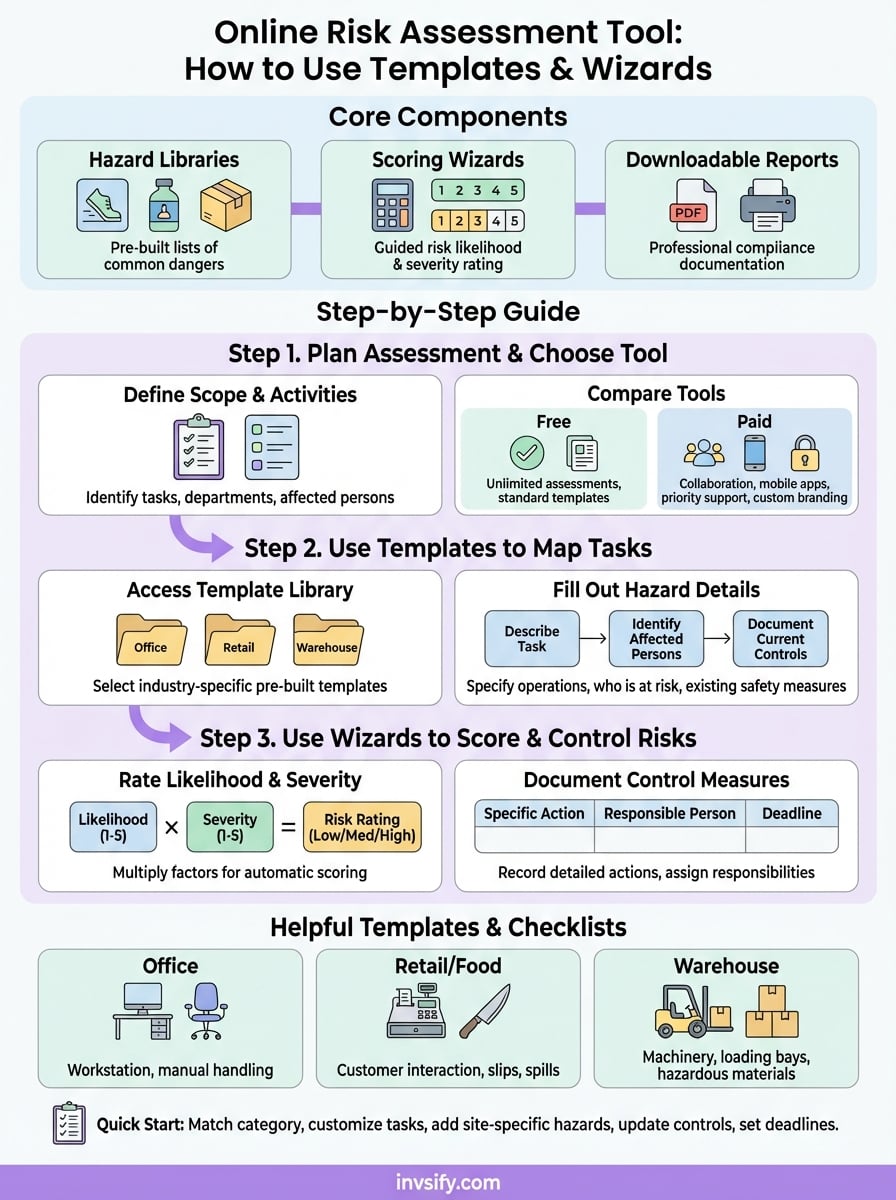
These platforms typically include three main features that simplify the entire process. First, they offer hazard libraries with pre-built lists of common workplace dangers like slips, chemical exposure, manual handling risks, or ergonomic issues. Second, they provide scoring wizards that walk you through rating the likelihood and severity of each identified risk using standardized scales. Third, they generate downloadable reports in PDF or Word format that meet legal documentation requirements for compliance audits.
"The law states that a risk assessment must be 'suitable and sufficient', ie it should show that: a proper check was made, you asked who might be affected, you dealt with all the obvious significant risks."
You can create unlimited assessments for different tasks, departments, or work locations within the same platform. Most tools let you set review dates, assign corrective action items to specific team members, and update existing assessments as workplace conditions change. The best platforms work seamlessly on any device, allowing you to complete assessments on site using your phone or tablet rather than waiting to return to your desk.
Step 1. Plan your assessment and choose a tool
Start by identifying which workplace activities you need to assess before touching any software. List out specific tasks like manual handling, computer workstation use, chemical storage, or customer service interactions. This upfront planning saves you time because you'll know exactly what hazards to look for when you open the online risk assessment tool, and you won't waste time backtracking or creating duplicate assessments for related activities.

Define the scope of your assessment
Decide if you're assessing a single task or an entire department. For example, if you run a warehouse, you might start with forklift operations separately from packaging duties. Breaking larger areas into focused assessments makes the process manageable and produces more detailed results. You also need to determine who will be affected by each hazard, such as full time employees, contractors, visitors, or specific vulnerable groups like pregnant workers or young apprentices.
"A proper check was made, you asked who might be affected, you dealt with all the obvious significant risks."
Compare free vs paid platforms
Free tools like My Risk Assessment or Risk Assessment Wizard give you unlimited assessments and standard templates without subscription fees. These work well for small businesses with straightforward risks. Paid platforms like RiskAssessor or SafetiAssessor offer advanced features such as team collaboration, custom branding on reports, mobile apps for on site assessments, and priority customer support. Test the free version first to confirm the platform meets your compliance needs before upgrading.
Choose a platform that stores data online securely and allows you to access past assessments whenever auditors request them. Check that the tool lets you download reports in PDF format since you'll need physical copies for display boards or regulatory inspections.
Step 2. Use templates to map tasks and hazards
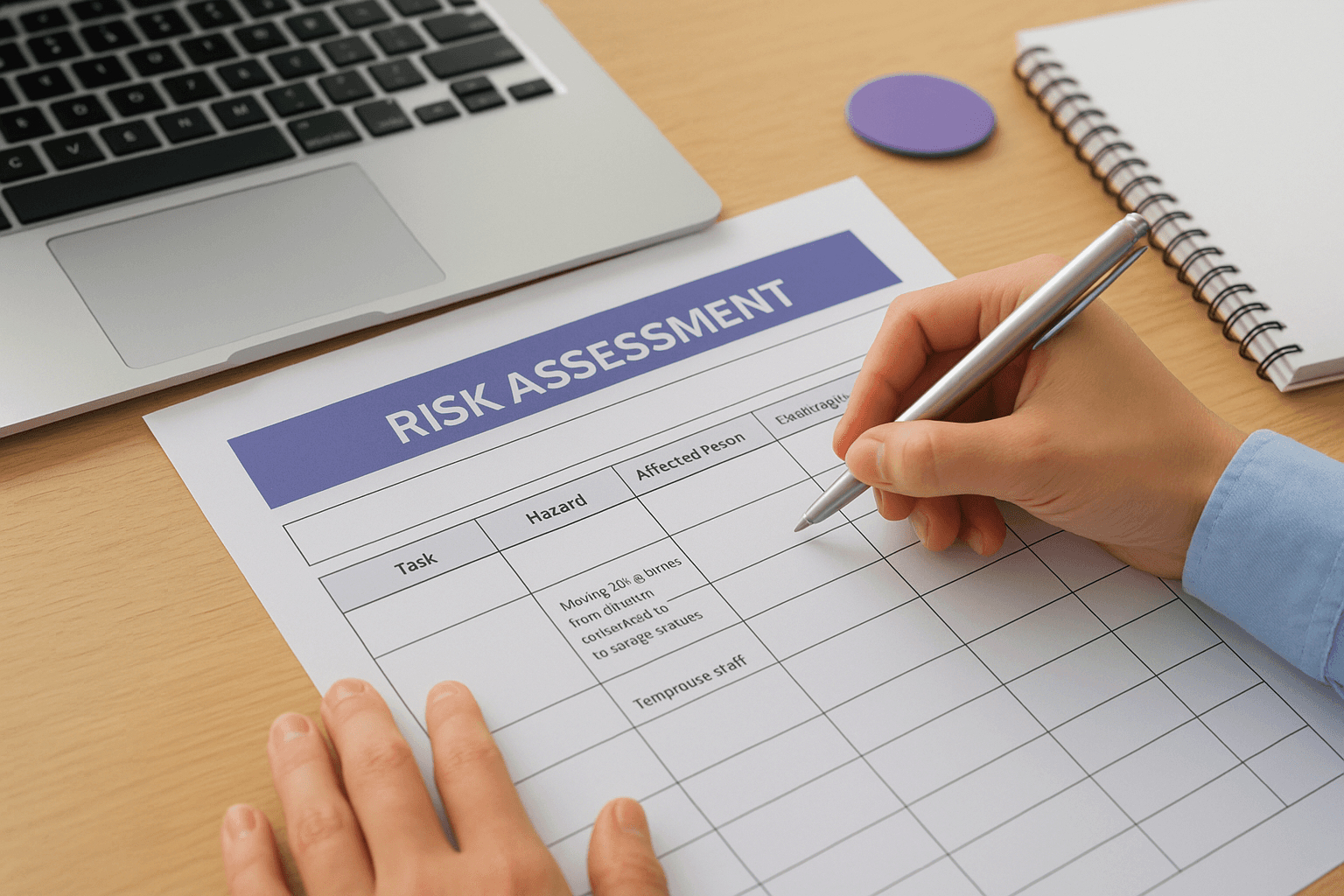
Once you've chosen your online risk assessment tool, you'll select a pre-built template that matches your workplace activity. These templates contain structured fields for task descriptions, potential hazards, affected persons, and existing controls. Most platforms organize templates by industry or job function, such as office work, warehousing, food service, or maintenance tasks, so you can start with relevant hazards already listed instead of building everything from scratch.
Access the template library
Navigate to the template section of your chosen platform and browse categories that align with your planned assessment scope. For example, if you're assessing a retail shop, look for templates labeled "customer service," "manual handling," or "cash handling." Click the template to preview the hazard list before committing. Quality templates will include common risks like slips and trips, working at height, equipment use, fire hazards, and workplace violence alongside blank fields where you can add site specific dangers unique to your operation.
Fill out hazard details systematically
Work through each hazard row in the template by describing the specific task that creates the risk. Instead of writing "lifting," specify "moving 20kg boxes from delivery pallets to storage shelves three times per shift." Then identify who faces this risk, such as warehouse staff, temporary workers, or contractors. Document your current control measures like training programs, safety equipment provided, or procedural safeguards already in place. This detail transforms a generic template into a compliant record that auditors will accept.
"Does the content provide a substantial, complete, or comprehensive description of the topic?"
Templates save you hours compared to blank forms because the hazard categories guide your thinking and ensure you don't overlook common workplace risks.
Step 3. Use wizards to score and control risks
After mapping your hazards in the template, you'll use the platform's scoring wizard to evaluate each risk systematically. The wizard guides you through rating the likelihood of harm occurring and the severity of potential consequences using standardized scales. Most online risk assessment tools calculate a final risk level automatically by multiplying these two factors, then categorize each hazard as low, medium, or high priority based on your answers.
Rate likelihood and severity
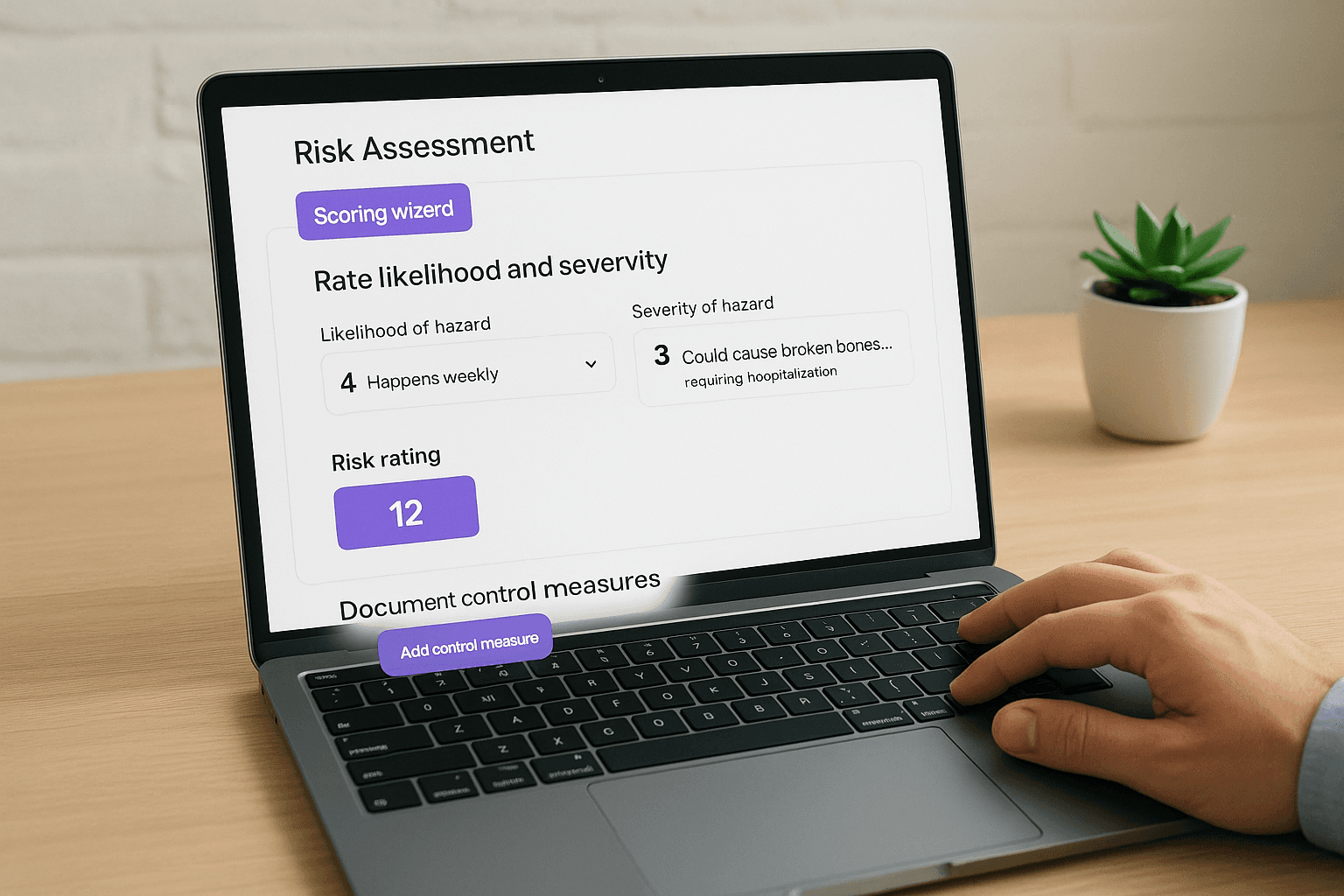
Click the scoring button next to each hazard in your assessment. The wizard presents you with simple dropdown menus or radio buttons where you select how likely the hazard is to cause harm, typically using a scale from 1 (very unlikely) to 5 (certain to occur). Then you rate the potential severity of injury, ranging from 1 (minor first aid) to 5 (fatality or permanent disability). The platform multiplies these numbers instantly, so a hazard scored 4 for likelihood and 5 for severity produces a risk rating of 20, automatically flagged as high priority.
"Our systems aim to prioritize those that seem most helpful."
For example, if you're assessing "slips on wet warehouse floors," you might rate likelihood as 4 (happens weekly) and severity as 3 (could cause broken bones requiring hospitalization). The wizard calculates this as a medium risk requiring immediate attention.
Document control measures
The wizard then prompts you to record specific actions that will reduce or eliminate the risk. Type detailed control measures like "install anti slip matting in loading bay" or "implement twice daily floor cleaning schedule with wet floor signage." Assign each action to a responsible person by name and set a completion deadline. Quality wizards let you indicate whether controls are temporary or permanent, and some platforms automatically generate action tracking reports you can share with your team to monitor progress.
Helpful templates and example checklists
Most online risk assessment tool platforms provide downloadable templates you can use as starting points for common workplace scenarios. These pre-filled examples show you how to describe hazards, rate risks, and document controls in real situations similar to yours. You can download them in Word or PDF format, modify the content to match your specific workplace, and save hours compared to creating assessments from scratch.
Industry specific template examples
You'll find templates tailored to your business type in most platforms. Office based templates cover computer workstation setup, display screen equipment risks, and manual handling of files or supplies. Retail and food service templates address customer interaction hazards, cash handling security, knife use in kitchens, and slip risks from spills. Warehouse and factory templates focus on forklift operations, loading bay safety, machinery guards, and storage of hazardous materials.
"Does the content provide insightful analysis or interesting information that is beyond the obvious?"
Quick start checklist for templates
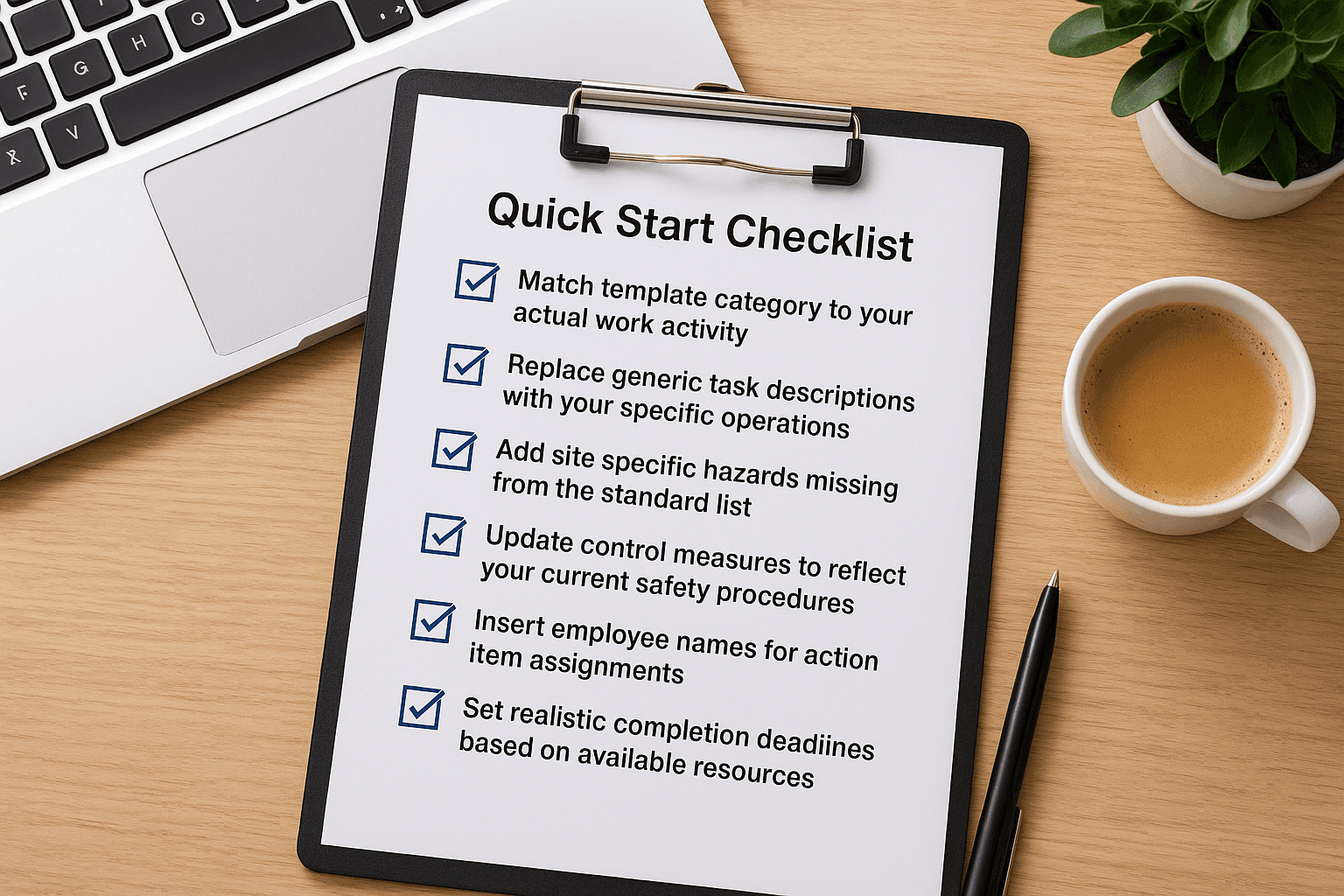
Use this checklist when selecting and customizing templates:
Match template category to your actual work activity
Replace generic task descriptions with your specific operations
Add site specific hazards missing from the standard list
Update control measures to reflect your current safety procedures
Insert employee names for action item assignments
Set realistic completion deadlines based on available resources
Templates accelerate compliance while maintaining the thoroughness regulators expect.
Key takeaways
You can complete workplace risk assessments faster using online risk assessment tool platforms that offer templates and wizards. Start by planning your scope, select relevant templates from the hazard library, and use scoring wizards to rate each risk systematically. Download your professional reports in PDF format for compliance documentation and store them securely online. Most platforms offer free versions you can test immediately without commitment. Just as you protect workplace safety through careful risk management, protect your financial future with the same systematic approach to planning and optimization.