Open PPF Account Online: Step-by-Step Guide In India 2026
Shlok Sobti
Open PPF Account Online: Step-by-Step Guide In India 2026
You know PPF accounts offer guaranteed returns and tax benefits that few other investments match. But visiting bank branches during working hours, waiting in queues, and filling physical forms makes the process unnecessarily time consuming. Most salaried professionals simply don't have the bandwidth to manage this during their workday.
Good news. You can now open PPF account online through your existing bank's net banking or mobile app. Major banks like SBI, ICICI, HDFC, and Axis let you complete the entire process from your phone or laptop. No branch visits required. The digital route takes about 15 to 20 minutes from start to finish.
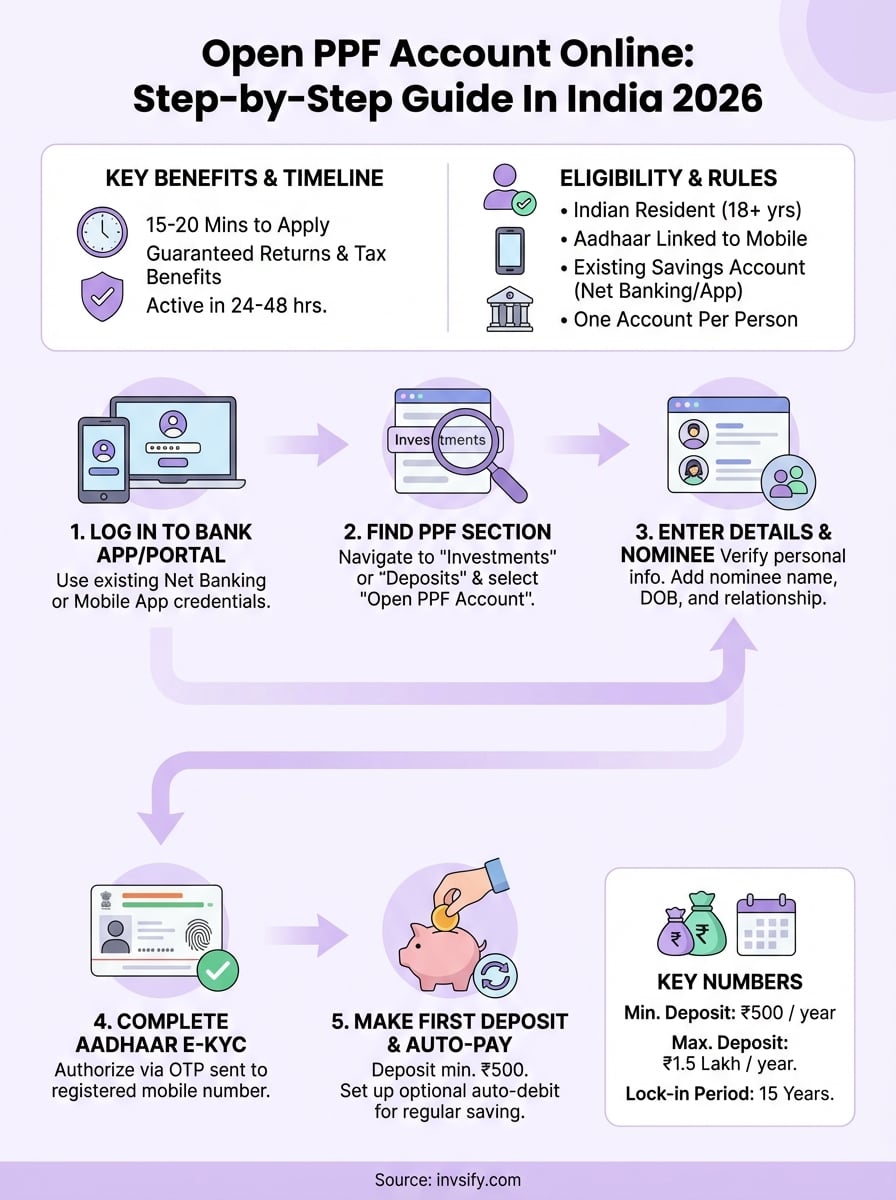
This guide walks you through every step of opening your PPF account online in 2026. You'll learn which banks offer online PPF opening, what documents you need ready, and how to navigate each screen of the application process. We also cover common errors people face and how to fix them quickly. By the end, you'll have your PPF account active and ready for your first deposit.
PPF online opening rules in 2026
The government sets strict eligibility and operational rules for PPF accounts that apply equally whether you open offline or digitally. You need to understand these regulations before starting your online application because banks will verify your eligibility during the digital onboarding process. Breaking these rules can lead to account rejection or penalties later.
Who can open a PPF account online
You must be an Indian resident to open PPF account online. Non-resident Indians (NRIs) cannot open new PPF accounts, though existing accounts opened before gaining NRI status can continue until maturity. Your bank will verify your residential status through Aadhaar authentication during the digital KYC process.
Indian citizens above 18 years can open accounts in their own name. Parents or legal guardians can open PPF accounts for minor children through the online process, but the guardian's existing savings account with the bank is mandatory. Each person can hold only one PPF account across all banks and post offices. Opening a second account violates rules and the second account gets closed without interest.
Hindu Undivided Families (HUFs), trusts, and companies cannot open PPF accounts. Only individual Indians in their personal capacity qualify. This restriction applies to all digital applications across banks.
Contribution limits and restrictions
You must deposit a minimum of ₹500 per financial year to keep your PPF account active. The maximum contribution limit stands at ₹1.5 lakh per year. Banks calculate this limit from April 1 to March 31, not the calendar year.
The ₹1.5 lakh limit includes all deposits you make across the year, whether monthly, quarterly, or lump sum.
Your first deposit during online account opening must meet the ₹500 minimum. Most banks let you deposit up to the full ₹1.5 lakh immediately if you want. Contributions beyond ₹1.5 lakh in a year get refunded without interest, so banks often block such transactions at the payment stage itself.
Banks allow deposits in lump sum or installments. You can make deposits any number of times during the year, but each transaction must be at least ₹50. Setting up auto-debit instructions during online account opening helps you maintain regular contributions without manual intervention.
Lock-in period and withdrawal rules
PPF accounts come with a 15-year lock-in period starting from the end of the financial year when you open the account. You cannot close the account before this period ends, except in specific hardship cases like serious illness or higher education needs. These premature closures require physical applications with supporting documents.
Partial withdrawals become available from the 7th financial year onwards. You can withdraw up to 50% of the balance available at the end of the 4th year or the immediately preceding year, whichever is lower. Banks process withdrawal requests through their net banking portals after the initial lock-in period.
Loan facilities against your PPF balance are available from the 3rd financial year up to the 6th year. You can borrow up to 25% of the balance available at the end of the 2nd preceding year. Interest rates on PPF loans stay at 2% above the prevailing PPF interest rate. Some banks let you apply for these loans through their digital channels, while others require branch visits.
After maturity, you can extend your account in 5-year blocks with or without additional contributions. This extension request happens through the same online banking portal where you opened your account originally.
What you need ready before you apply online
Your bank will ask for specific documents and information during the digital PPF account opening process. Having everything ready before you start saves time and prevents application rejections due to incomplete details. Most banks complete the verification within seconds if you provide accurate information upfront.
Identity and address documents
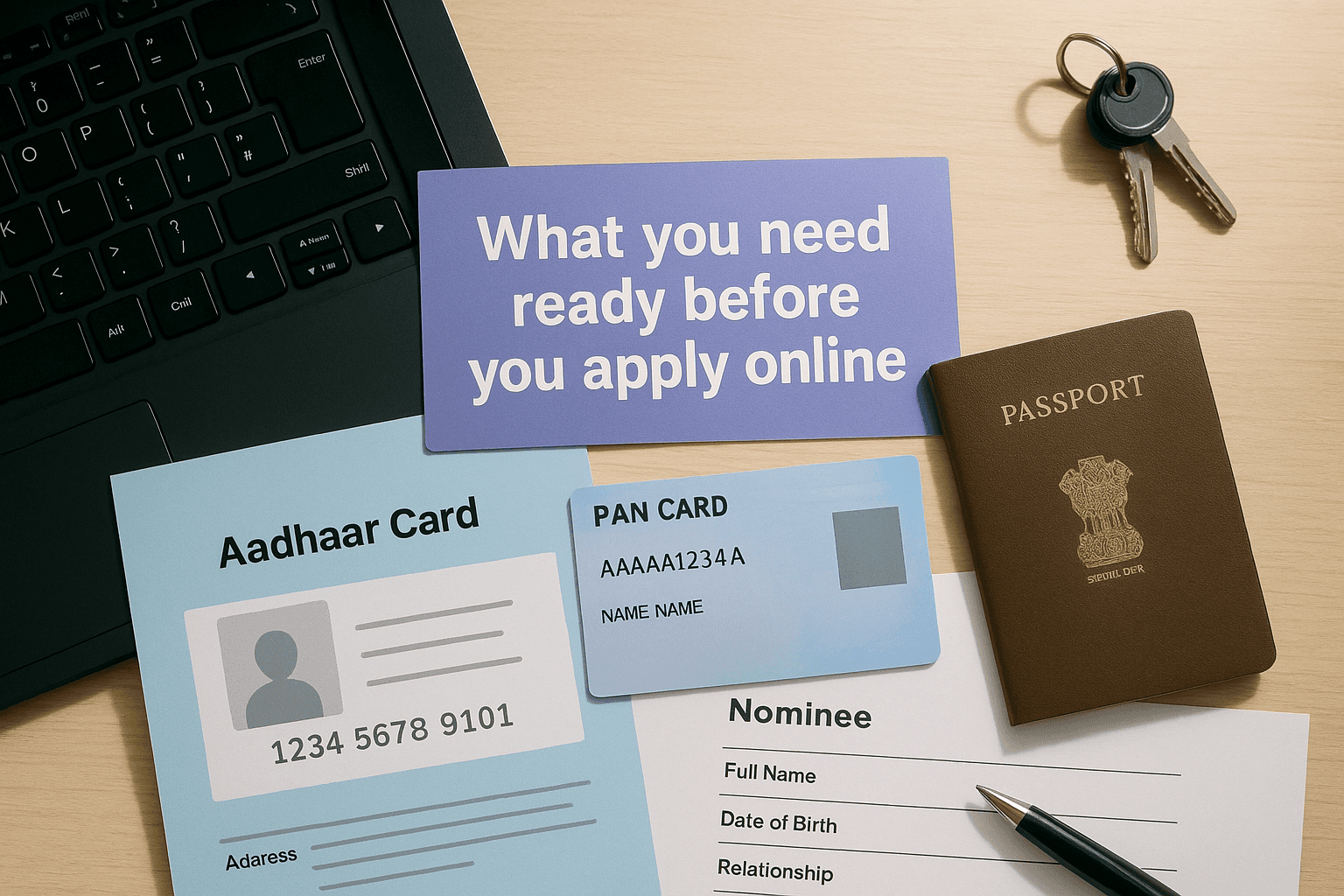
You need your Aadhaar card as the primary document to open PPF account online. Banks use Aadhaar for both identity verification and address proof through the e-KYC process. Your Aadhaar number must be linked to your mobile number because banks send an OTP to this registered mobile for authentication.
Your PAN card details are mandatory for opening the account. Banks verify your PAN against income tax records during the application process. Keep your PAN number handy and make sure the name on your PAN matches your Aadhaar exactly. Mismatches in spelling or initials can cause verification failures.
Banks reject applications when the name on your Aadhaar and PAN don't match character by character.
If your Aadhaar and mobile number aren't linked yet, visit the official Aadhaar portal to complete this linking before starting your PPF application. The process takes a few minutes and requires an OTP verification. Without this link, your e-KYC will fail during the account opening steps.
Banking requirements
You must have an existing savings account with the bank where you want to open your PPF account. The PPF application happens through your net banking login or mobile banking app. Banks don't allow PPF account opening without an active relationship with them first.
Your savings account should have sufficient balance for the first PPF deposit. The minimum first deposit stands at ₹500, but you can deposit up to ₹1.5 lakh immediately if you prefer. Banks debit this amount from your linked savings account during the final step of the online process.
Check that your savings account has active net banking or mobile banking access. Download your bank's official app or ensure you can log into the net banking portal. Reset your password if you've forgotten it, because you'll need to authenticate yourself multiple times during the PPF application.
Nominee information
Banks require you to add at least one nominee for your PPF account. Keep your nominee's full name, date of birth, and relationship with you ready. You can add up to three nominees and specify the percentage share for each one.
Your nominee can be any family member, friend, or relative. Minor nominees require a guardian's details as well. Banks don't need your nominee's PAN or Aadhaar during the initial application, but having their basic details accurate helps avoid future complications during claims.
Choose where to open your PPF account
Your choice of bank determines how smooth your online PPF opening experience will be. Not all banks offer digital PPF account opening through their platforms, and those that do provide different levels of interface quality and processing speed. Selecting the right bank upfront saves you from switching hassles later.
Major banks offering online PPF opening
You can open PPF account online through several public sector and private sector banks that have enabled this feature. Each bank processes applications through its own net banking portal or mobile app, so you need an existing savings account with them first.
The following banks provide complete digital PPF opening:
State Bank of India (SBI): Processes through YONO app and net banking, handles highest volume of PPF accounts
ICICI Bank: Offers quick processing through iMobile app and internet banking portal
HDFC Bank: Provides seamless integration with existing accounts through mobile and web platforms
Axis Bank: Allows application through Axis Mobile and net banking with instant account activation
Bank of Baroda: Supports online opening through Baroda Connect and Baroda M-Connect apps
Punjab National Bank: Enables digital PPF through PNB ONE app and internet banking
Canara Bank: Processes applications through Canara ai1 mobile app
Banks activate your PPF account within 24 to 48 hours after successful completion of the online process.
Factors to consider when selecting your bank
Your existing banking relationship should be the primary factor. Opening a PPF account where you already hold a savings account eliminates the need to open a new relationship elsewhere. You can manage all transactions, view balances, and process withdrawals through a single login you already use.
Check your bank's mobile app ratings and net banking interface quality. Banks with poorly designed platforms make routine PPF operations frustrating. Read recent reviews on the Google Play Store or Apple App Store to understand user experiences with PPF management features.
Branch proximity matters for situations where you might need physical assistance. While the account opening happens online, certain requests like account closure or hardship withdrawals require branch visits. Having a branch near your home or office makes these occasional visits convenient.
Compare processing times across banks. Some banks activate PPF accounts within hours of application, while others take 2 to 3 working days. Your employer might have salary accounts with specific banks that offer priority processing for existing customers. These relationships can speed up your account activation.
Step 1. Log in to net banking or your bank app
Your PPF account opening journey starts with accessing your existing bank account through either the mobile app or web-based net banking. Banks verify your identity through this login, so you must use your registered credentials that you set up when you opened your savings account. This authentication step ensures only you can open PPF account online under your name.
Accessing through mobile banking apps
Download your bank's official mobile app from the Google Play Store or Apple App Store if you haven't already. Search for your bank's name exactly, like "SBI YONO", "ICICI iMobile Pay", or "HDFC Bank Mobile Banking" to avoid fake apps. Check the developer name matches your bank and read recent reviews to confirm it's the legitimate application.
Open the app and enter your user ID and password or MPIN that you created during registration. Most banking apps now support biometric login through fingerprint or face recognition. Enable this feature if available because it speeds up future logins while maintaining security.
Your login process follows these steps:
Launch your bank's mobile app
Enter your registered mobile number or customer ID
Input your MPIN, password, or use biometric authentication
Complete any additional security verification if prompted
Wait for the home screen to load completely
Banks lock your account temporarily after three failed login attempts, so double-check your credentials before entering them.
Logging in through net banking portal
Visit your bank's official website by typing the URL directly into your browser rather than clicking search results. Look for the "Login" or "Net Banking" button on the homepage. Banks display this prominently in the top right corner of their websites.
Enter your customer ID or user ID in the first field. This identifier varies by bank, some use your account number while others assign a unique user ID during registration. Your password comes next, and remember it's case-sensitive with specific character requirements you set during creation.
Banks send an OTP to your registered mobile number for two-factor authentication. Enter this code within the time limit, usually 180 seconds, or you'll need to request a fresh OTP. Some banks also offer grid card authentication or security questions as alternative verification methods.
Clear your browser cache and cookies if the login page shows errors or doesn't load properly. Using updated browsers like Chrome, Firefox, or Edge prevents compatibility issues during the PPF application process. Avoid public WiFi networks when logging in to protect your banking credentials from potential security risks.
Step 2. Start the PPF account opening request
After logging in successfully, you need to navigate through your bank's menu structure to find the PPF account opening option. Banks organize their services differently, so the exact path varies, but they all place PPF under investment or deposits sections. This step takes about 2 to 3 minutes because you're just clicking through menus to reach the application form.
Finding the PPF section in your dashboard
Look for menu options labeled "Accounts", "Deposits", "Investments", or "Open New Account" on your home screen. Mobile apps typically show these options as icons or cards on the main dashboard. Net banking portals display them in the top navigation bar or left sidebar menu.
Different banks use these specific menu paths:
SBI YONO app: Tap "Accounts" then select "Open PPF Account"
ICICI iMobile: Go to "Accounts" then "Open New Account" then choose "PPF"
HDFC Mobile Banking: Navigate to "Accounts" then "Open Account" then select "PPF Account"
Axis Mobile: Tap "Accounts & Deposits" then "Open New Account" then pick "PPF"
Net banking users will find similar paths under the "Accounts" or "Services" tab in the main menu. Click through each option until you see "Public Provident Fund" or "PPF Account" listed among the account types.
Banks sometimes update their menu layouts, so if you can't find the PPF option immediately, use the search function available in most apps and portals.
Initiating the new PPF account request
Click the "Apply Now" or "Open PPF Account" button once you locate the PPF section. Banks display a brief overview screen explaining interest rates, lock-in periods, and tax benefits before you proceed. Read this information quickly to confirm you understand the basic terms.
Your next click lands on a pre-application checklist or eligibility confirmation screen. Banks ask you to confirm you don't have an existing PPF account elsewhere and that you meet the residency requirements. Check all mandatory boxes after reading each condition. Missing even one checkbox prevents you from moving forward.
Some banks show you a document requirements page listing what you need for the application. Verify you have your Aadhaar, PAN, and nominee details ready as discussed earlier. Banks give you a "Proceed" or "Continue" button at the bottom of this screen. Click it to open ppf account online and move to the actual application form where you'll enter your personal information.
Step 3. Enter details and add a nominee
The application form appears on your screen with multiple fields requesting personal information and nominee details. Banks pre-fill some fields by pulling data from your savings account, but you need to verify every entry for accuracy. Incorrect information causes processing delays or outright rejection of your PPF account application, so take time to review each field carefully before moving forward.
Filling your personal information
Your form starts with basic details like full name, date of birth, gender, and marital status. Banks pull your name from the existing savings account records, so it should match your PAN card exactly. Check the spelling character by character because even a single letter difference triggers verification failures during the backend processing.
Enter your PAN number in the designated field. Most banks validate this instantly against income tax databases. Your mobile number and email address appear pre-filled from your savings account details, but you can update them if needed. Banks use these contacts to send your PPF account statements and transaction alerts.
Select your occupation type from the dropdown menu. Options typically include salaried, self-employed, business, professional, or retired. Your occupation doesn't affect PPF eligibility, but banks collect this data for their internal records and regulatory compliance requirements.
The form asks for your communication address, which defaults to the address on file with your savings account. You can choose to keep this same or provide a different address for PPF account correspondence. Make sure this address matches your Aadhaar if you select a different one, because address mismatches complicate the e-KYC verification in the next step.
Adding nominee details correctly
Scroll down to the nominee section where you must add at least one person who will receive your PPF balance in case of your death. Enter your nominee's full legal name exactly as it appears on their official documents. Banks don't verify nominee details during account opening, but accurate information prevents claim disputes later.
Your nominee doesn't need to be a family member or blood relative, but most people choose spouses, parents, or children for convenience.
Fill in your nominee's date of birth using the calendar picker or manual entry field. Banks calculate the nominee's age automatically to determine if they're a minor. Minors require a guardian's name and address in additional fields that appear when you enter a birth date showing they're under 18 years.
Specify your relationship with the nominee by selecting from options like spouse, father, mother, son, daughter, brother, or sister. Type the nominee's address in the text box provided. Banks allow up to three nominees, so click "Add Another Nominee" if you want to split your PPF balance among multiple people. Assign percentage shares that total exactly 100% across all nominees you add to open ppf account online successfully.
Double-check all entries before clicking "Next" or "Continue" because most banks don't allow edits after you submit this page.
Step 4. Complete Aadhaar e-KYC and verification
Banks use Aadhaar-based e-KYC to verify your identity and address instantly without requiring physical document uploads. This digital verification happens through UIDAI's authentication system that checks your details against their central database. The process takes about 60 to 90 seconds if your Aadhaar and mobile number are linked properly, making it the fastest way to complete KYC requirements when you open ppf account online.

Authorizing Aadhaar authentication
Your screen displays an "e-KYC through Aadhaar" button or similar option after you complete the personal details and nominee sections. Click this button to trigger the authentication process. Banks redirect you to the UIDAI verification portal or process the authentication within their own secure interface depending on their technical setup.
Enter your 12-digit Aadhaar number in the field provided. Triple-check each digit because even one wrong number sends the OTP to someone else's phone or shows an error message. Banks validate the format instantly, but they can't verify if the number belongs to you until the next authentication step.
The system asks you to consent to sharing your Aadhaar details with the bank for KYC purposes. Read the consent statement and check the box confirming you authorize this data sharing. UIDAI regulations require this explicit consent before they process any authentication request, so you can't skip this checkbox.
Verifying your identity through OTP
UIDAI sends a 6-digit OTP to the mobile number registered with your Aadhaar card. This code arrives within 10 to 30 seconds through SMS. Enter the OTP in the verification box on your screen before it expires. Most banks give you 180 seconds to input the code, after which you need to request a fresh OTP by clicking the resend option.
Banks cannot proceed with your PPF account opening if your Aadhaar OTP verification fails, because e-KYC is mandatory under current regulations.
Your verification completes instantly after you submit the correct OTP. The screen shows a green checkmark or success message confirming your identity and address are verified. Banks pull your name and address from the Aadhaar database automatically at this point, so you don't need to upload any additional documents.
Some banks display a confirmation screen showing the details fetched from your Aadhaar record. Review your name, date of birth, and address to ensure they match what you entered earlier. Minor spelling differences between your bank records and Aadhaar data might trigger manual verification by bank staff, which adds 1 to 2 working days to your account activation timeline.
Click "Proceed to Payment" or "Continue" once your e-KYC verification succeeds. Your application moves to the deposit stage where you'll fund your PPF account for the first time.
Step 5. Make the first deposit and set auto-pay
Your PPF account needs initial funding to activate after the e-KYC verification succeeds. Banks require a minimum first deposit of ₹500, though you can contribute up to the annual maximum of ₹1.5 lakh immediately if you prefer. This payment step completes your application to open ppf account online and triggers the final account creation process on the bank's backend systems. Most banks process this transaction instantly and activate your PPF account within 24 hours of successful payment.
Selecting deposit amount and payment method
Your screen displays a payment page with a field to enter your desired contribution amount. Type any amount between ₹500 and ₹1,50,000 depending on your financial planning for the current financial year. Banks validate this amount against your savings account balance before proceeding, so verify you have sufficient funds available for the debit.
Choose your payment method from the options displayed. Most banks offer these choices:
Net banking transfer: Instant debit from your linked savings account (most common)
UPI payment: Transfer using your UPI ID or scanning a QR code
Debit card: Payment through your bank's debit card with CVV verification
Net banking transfer works fastest because the money moves within the same bank's system. Select this option and confirm your savings account number from the dropdown if you hold multiple accounts with the same bank. Banks debit the amount immediately after you authorize the transaction through your password or MPIN verification.
Your PPF account activation happens only after this first deposit clears successfully in the bank's system.
Setting up automatic deposits
Scroll down to find the "Enable Auto Debit" or "Set Standing Instruction" checkbox after entering your payment details. Checking this box lets you schedule recurring monthly deposits that happen automatically without manual intervention every month. This feature helps you maintain regular contributions and avoid missing the annual ₹500 minimum requirement.
Banks ask you to specify the monthly deposit amount and the date when they should debit your savings account. Enter an amount you can comfortably afford each month, like ₹5,000 or ₹10,000. Pick a debit date that falls after your salary credit to ensure sufficient balance availability. Banks typically offer dates between the 1st and 28th of each month for standing instructions.
Review the auto-pay terms displayed on the screen. Banks show the total annual contribution based on your monthly amount to confirm it stays within the ₹1.5 lakh limit. You can modify or cancel this standing instruction later through your net banking portal if your financial situation changes. Click "Confirm Payment" to complete both your first deposit and auto-pay setup simultaneously.
Common issues and quick fixes
You will likely face at least one technical hiccup during your online PPF account opening journey. Banks process thousands of applications daily, and their systems sometimes show errors during peak hours or when your documents don't match their validation criteria. Understanding these common problems and their solutions helps you resolve issues quickly without abandoning your application midway.
Aadhaar OTP not arriving
Your mobile number must be linked to your Aadhaar for the OTP to reach you during e-KYC verification. Visit the UIDAI website and complete the Aadhaar-mobile linking process if you haven't done this already. The OTP arrives within 30 seconds to your registered mobile, so check your spam folder or message filters if you don't see it in your primary inbox.
Network congestion sometimes delays OTP delivery by 2 to 3 minutes. Wait for the full timer duration before clicking "Resend OTP" because requesting multiple codes too quickly can temporarily block your Aadhaar number from receiving further OTPs. Banks lock your authentication attempts after three failed tries, forcing you to restart the entire application the next day.
Name mismatch between documents
Banks reject applications when your PAN name and Aadhaar name don't match exactly. Even minor differences like using initials versus full names or missing middle names trigger verification failures. Check both documents before you start and visit the PAN or Aadhaar update centers to correct any discrepancies. These corrections take 7 to 15 days to reflect in government databases.
Your application to open ppf account online cannot proceed if your legal name differs across your official documents by even a single character.
Payment failures or transaction errors
Insufficient balance in your savings account causes the most common payment failures. Verify your available balance exceeds your intended PPF deposit plus any holds from pending transactions. Banks also reject payments during maintenance windows that typically happen between 11:30 PM and 2:00 AM. Try again during normal banking hours if your transaction fails late at night.
Some banks limit daily transaction amounts on net banking, and your PPF deposit might exceed this cap. Contact your bank's customer service to increase your daily limit temporarily or use UPI payments as an alternative. Clear your browser cache and switch to a different payment method if the error message mentions technical issues.
Account not activating after deposit
Banks take 24 to 48 hours to activate your PPF account after successful payment. Check your registered email for confirmation messages and log into your net banking portal to see if the account appears under your account list. Missing KYC documents or pending manual verification extend this timeline by 2 to 3 working days.
Call your bank's customer service number if your account doesn't activate within 72 hours. Have your savings account number and transaction reference number ready when you call. Banks escalate such cases to their backend teams who can manually push your application through their approval workflow.
Next steps
Your PPF account will appear in your net banking portal within 24 to 48 hours after successful payment. Download your welcome kit and account number from the portal once it activates. Set calendar reminders to track your contributions and ensure you deposit at least ₹500 before each financial year ends to keep the account active.
Check your PPF balance monthly through your bank's mobile app to monitor interest accrual and contribution progress. Banks credit interest on the lowest balance between the 5th and last day of each month, so schedule larger deposits before the 5th to maximize earnings. Your deposits qualify for tax deductions under Section 80C, so save your transaction receipts for ITR filing.
Managing multiple investments alongside your PPF account gets complex quickly. Invsify's AI-powered wealth advisor helps you track all your investments in one place and suggests optimal contribution strategies based on your financial goals. The platform provides personalized insights to maximize your tax-saving investments while maintaining the right asset allocation across your portfolio.